
Are you losing potential clients to the firm down the street just because they answered the phone faster? That gap—the time between a prospect’s first email and your first real conversation—is where you bleed business. A CRM for a law firm closes that gap for good, organizing every client detail and automating follow-ups so you can sign new clients before your competition even calls them back.
Stop Losing Leads to Phone Tag and Slow Follow-Up

If you've ever heard a potential client say they went with another firm because they "got back to them first," you know the frustration. You're a great lawyer, but you're losing business to firms that are simply faster. Every hour you spend playing phone tag or manually typing contact info into a spreadsheet is another opportunity for a competitor to swoop in.
This is the exact problem a legal CRM is built to solve. It’s not just another piece of software to learn; it's the central command center for your firm's client relationships. It captures, organizes, and automates communication so no opportunity ever falls through the cracks. For a small firm, this is how you compete on speed and professionalism, not just your legal skills.
Why Most Firms Struggle with Their CRM
The statistics are grim. While around 78% of law firms have adopted some form of CRM, a tiny fraction—just 7%—are actually using it effectively to manage leads and sign clients. That’s a huge gap between owning a tool and making money with it. You can see more on this in the 2026 Buyer's Guide to Law Firm CRMs.
The problem is almost always a clunky, disconnected process. If your team has to manually copy information from web forms, emails, and call notes, the CRM becomes another chore instead of a powerful asset. This is why a unified, seamless workflow is essential for success.
How a Smart CRM Workflow Closes the Gap
Imagine a system that works for you. A potential client fills out a form on your website, and your CRM instantly:
- Sends a personalized welcome email or text.
- Creates a new contact and matter record automatically.
- Assigns follow-up tasks to your team.
- Even lets them schedule the initial consultation on your calendar.
This isn’t a futuristic dream; it’s what a properly implemented CRM should do. By automating these first critical steps, you eliminate the delays that cause leads to go cold. This is key to how you stop losing leads with faster conversions. This automated efficiency ensures you always make a great first impression.
What is a Legal CRM, Really? (No Jargon)
Let's cut through the tech-speak. At its core, a CRM for a law firm is your command center for every client interaction—from their first visit to your website to the day you close their case. Forget messy spreadsheets, sticky notes on your monitor, and an overflowing inbox. A good legal CRM brings all that chaos into one clean, organized system.
Think of it as the perfect paralegal—one who never sleeps, never forgets a follow-up, and gives you a bird's-eye view of your entire client pipeline. Instead of digging through emails to find a note, you see a client's entire history in one place: every call, email, and document.
Why Generic CRMs Don't Work for Law Firms
Trying to run your practice on a generic sales CRM is like trying to hammer a nail with a screwdriver. It’s clumsy, inefficient, and you'll probably make a mess. Software built for selling widgets doesn't understand the unique requirements of a law firm.
A dedicated legal CRM is a matter-centric system. It understands that a single contact—like a business owner—might be tied to multiple distinct legal cases, each with its own timeline, documents, and billing. That structure changes everything.
Core Functions Your Firm Needs
A purpose-built CRM manages the workflows and ethical duties you handle every day.
Here’s what that actually looks like:
- Conflict Checking: Instantly run a check against your entire database to flag potential conflicts of interest before you even book a consultation. This is your first line of defense.
- Matter-Based Organization: This is where the magic happens. Every email, document, and task gets linked to a specific case file. No more lost attachments or frantic searches.
- Automated Intake Workflows: Guide potential clients through the first steps automatically. The system can send follow-ups, let them book appointments, and collect initial information without you lifting a finger. Build these with our guide to law firm operations that scale.
- Centralized Communication: Every client interaction—emails, texts, call notes—is logged in one place. You can stop toggling between five different apps to piece together a conversation.
A legal CRM takes your scattered data and turns it into a single source of truth. It ends the administrative chaos, stops leads from slipping away, and gives you the organized foundation you need to grow your firm with confidence.
The Must-Have CRM Features for Small Law Firms
Not all CRMs are created equal, especially for the unique grind of a law practice. A generic sales tool creates more work than it saves. When you’re choosing a CRM for your law firm, you need to ignore the flashy bells and whistles and zero in on features that solve your daily problems.
The goal is to find a system that becomes the command center for your client relationships. It should take over the tedious administrative tasks that eat up your non-billable hours and ensure nothing falls through the cracks. You need more than a glorified contact list; you need a tool that supports your legal workflows.
Automating Your Client Intake
First and foremost, you need client intake automation. This is where most leads are won or lost. If your intake process involves endless phone tag and manually sending documents, you are bleeding clients to firms that make it easier to hire them. A great CRM automates this entire dance.
Here’s a quick look at the core features that are non-negotiable for a modern law firm's CRM.
Essential CRM Features for Law Firms
This table breaks down the critical features you should look for and explains what problems they solve in your day-to-day operations.
| Feature | Why It's Critical for Your Firm | The Problem It Solves |
|---|---|---|
| Client Intake Automation | Your first impression. Automating it ensures a fast, professional response, capturing leads before they look elsewhere. | Wasted time on manual data entry, slow responses, and leads going cold while waiting for a follow-up. |
| Task & Deadline Management | A missed deadline is a potential malpractice claim. This feature creates a system of record for every critical date. | Relying on sticky notes and memory, which leads to missed statutes, forgotten follow-ups, and unnecessary stress. |
| Seamless Integrations | Your CRM should be the central hub, not another island of data. It needs to connect to the tools you already use. | Constantly switching between apps, duplicate data entry, and inconsistent client information across systems. |
| Insightful Reporting | You can't grow what you don't measure. This turns your client data into a roadmap for smarter business decisions. | Flying blind on marketing ROI, not knowing where your best clients come from, and guessing at your firm's financial health. |
These aren't just "nice-to-haves." For a small firm looking to grow, they are the foundation of an efficient, profitable practice.
Managing Tasks and Deadlines
Your practice runs on deadlines. A missed statute of limitations isn’t a simple oversight; it's a malpractice suit waiting to happen. Your CRM must have robust task and deadline management features tied directly to your matters.
A legal CRM lets you build task templates for different case types, automatically assigning duties and setting deadlines based on the case timeline. You can see at a glance what’s due today, this week, and next month across the firm, ensuring every critical date is locked down.
Seamless and Smart Integrations
A CRM that doesn’t play well with your other tools is useless. Seamless integrations are non-negotiable for building a unified workflow. Your CRM must be the central hub, not just another app to check.
Key integrations for any small law firm include:
- Email and Calendar: Syncs with Outlook or Google Workspace to log communications automatically.
- Practice Management Software: Connects to systems like Clio to sync client data and matter information without manual entry.
- Payment and Signature Tools: Integrates with platforms like Stripe for retainers and DocuSeal for e-signatures, creating a smooth onboarding experience.
By connecting these tools, you create a single source of truth for all client information. This cuts down on time spent switching between apps and eliminates errors from re-typing data.
Reporting That Drives Decisions
Finally, you need to know what’s working. A good legal CRM delivers insightful reporting that gives you a clear view of your firm's health. It shows you the hard data needed to make smart business moves.
Look for dashboards that track the metrics that actually matter:
- Lead Sources: See exactly where your best clients are coming from (e.g., Google, referrals).
- Conversion Rates: Understand the percentage of leads that actually sign a retainer.
- Pipeline Value: Get a real-time snapshot of the potential revenue in your pipeline.
This is the information that tells you where to invest your marketing dollars and how to tweak your intake process for better results. It transforms your CRM into a strategic asset for growing your firm.
Power Up Your CRM with a Unified Intake System
Your CRM for a law firm is only as good as the data you feed it. The most critical moment in your client journey is the intake process—if you get it wrong, a great lead can vanish before you even speak to them. A modern intake system acts as a high-performance engine for your CRM, pushing clean, complete data into it from the very first click.
Think about the old way: a potential client fills out a form, you email them a retainer, then you send a separate payment link. Each step is a potential dead end. Now, imagine sending just one link that handles everything. This unified approach eliminates the friction that kills conversions, making it incredibly simple for clients to hire you.
From First Click to Retained Client in Minutes
Let's walk through what this looks like. A prospect finds your firm and fills out your contact form. What happens next is what separates growing firms from stagnating ones.
With a unified system, their experience is completely different:
- Instant Engagement: The moment they hit "submit," they get an automated text with your firm's branding and a single, secure link. No more waiting for a callback.
- One-Stop Action: They click that one link and are guided through a simple flow. They e-sign your fee agreement, pay the retainer, and complete their initial intake form. It all happens on one page.
- Seamless Handoff: All of that critical information—the signed document, payment confirmation, and form data—syncs instantly into your CRM. No manual entry is required.
This process can take less than five minutes. It transforms a multi-day game of phone tag into a single interaction. For a deeper look at the tech, check out our guide on the best client intake software for law firms.
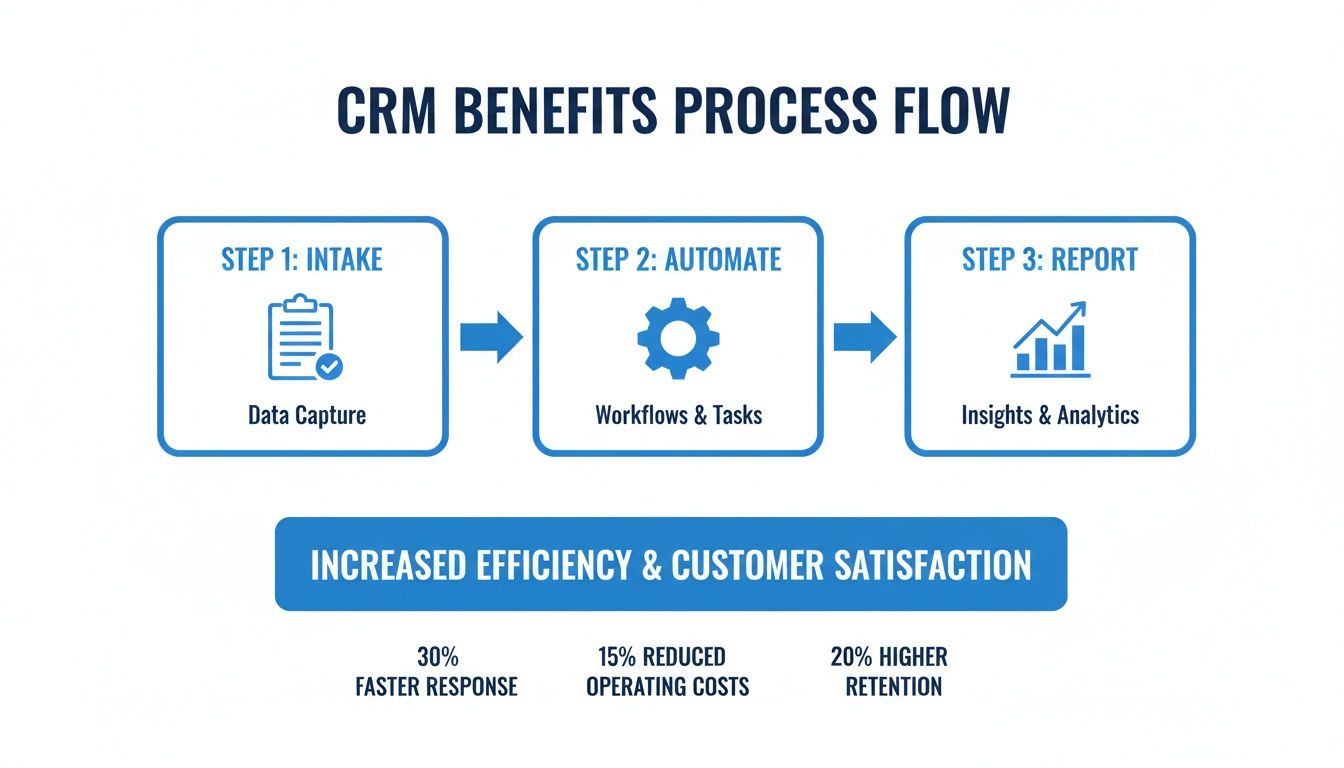
By connecting intake directly to automation, you create a powerful cycle that continuously improves your firm's operations.
Why a Unified Workflow Is a Must-Have
A disconnected intake process creates "decision gaps"—moments where a potential client has to stop and wait. Each gap is an invitation for them to get distracted or call another attorney. The data is clear: up to 50% of leads go with the first business that responds. When you make them wait, you're handing them to your competition.
Our core message is this simple: One link. Signatures, payment, intake—done before they can call another firm. This isn’t just a feature; it's a powerful conversion strategy.
By consolidating these critical steps, you remove all friction. The prospect maintains momentum from their initial interest all the way through to becoming a retained client. This doesn't just increase your conversion rates; it also ensures your CRM is populated with accurate data from day one.
How to Choose a CRM Your Team Will Actually Use
The most powerful CRM on the market is worthless if your team doesn't use it. User adoption is the single biggest hurdle in legal tech. You clear it by focusing on one thing: making your team's life easier.
It’s a classic, expensive mistake—investing in a complex system nobody wants to use. One study found that only 13% of firms see major efficiency gains from their CRM. A whopping 36% report only minor impact. This points directly to one culprit: underutilization. You can see the full breakdown of CRM statistics for yourself.
To avoid this, bake a user-first approach into your selection process from the start.
Focus on Simplicity
Your team is busy managing cases, not learning clunky software. If the CRM feels like another chore, they’ll be back to spreadsheets in a week. The interface needs to be clean and intuitive, requiring almost no training for core tasks like adding a contact or logging a call.
Mobile access is also non-negotiable. Your team is constantly on the move. A CRM with a solid mobile app lets them update case notes and pull up client details from anywhere, ensuring information stays current.
Plan for a Smooth Rollout
When you have a question, you can't afford to wait two days for an email response. Vet the customer support of any CRM you're considering. Good support is a feature in itself.
Once you’ve made a choice, don't try to boil the ocean. A gradual rollout beats a massive launch every time.
- Start with One Workflow: Pick your most critical process, like client intake, and nail that first. This creates an immediate win that gets people on board.
- Show, Don't Just Tell: Demonstrate exactly how the CRM solves a specific headache. Show your intake specialist how it kills manual data entry.
- Automate Data Entry First: The easiest way to get your team on board is to make the CRM useful without asking them to do more work. When a unified intake system automatically feeds clean data into the CRM, adoption becomes nearly effortless.
By focusing on solving your team's immediate problems first, you build momentum. When they see the software makes their jobs easier, they will be motivated to use it.
Build a Foundation for Better Operations
Choosing a user-friendly CRM is a strategic decision that affects your entire firm. When your team actually uses the system, you finally get the clean, reliable data you need to build repeatable processes. This is the foundation for creating law firm operations systems that scale.
Your next step is to identify the single biggest bottleneck in your client journey. Is it scheduling consults? Getting retainers signed? Find a CRM that solves that specific problem elegantly, and you’ll have found a tool your team will love.
Key Metrics to Measure Your CRM's Success
So, you've invested in a CRM for a law firm. How do you prove it's worth the money? It’s not enough to feel more organized; you need hard numbers to show it's making a real difference.
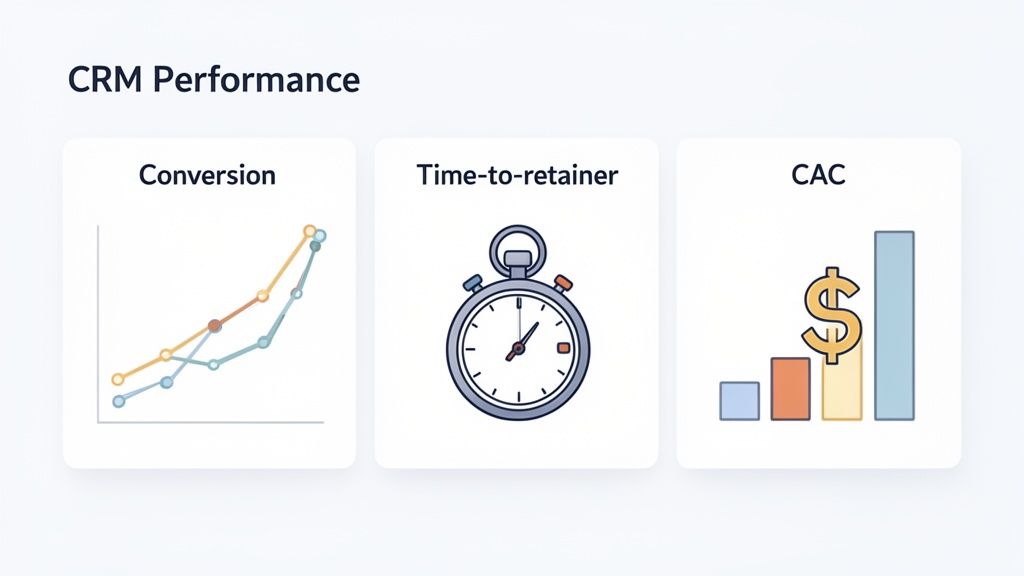
You can't manage what you don't measure. Tracking the right Key Performance Indicators (KPIs) turns your CRM from an expense into a strategic asset. These metrics reveal what’s working, what’s not, and where your biggest growth opportunities are.
Measuring Your Lead Conversion Rate
This is the big one. Your conversion rate tells you how good you are at turning interested prospects into paying clients.
The math is simple:
(Number of New Clients Signed ÷ Total Number of Qualified Leads) x 100 = Lead Conversion Rate
A low rate points to a bottleneck in your intake process. A rising rate is clear proof your system is working. If this number isn't where you want it, check our guide on how to stop losing leads with faster conversions.
Tracking Your Client Acquisition Cost
Do you know how much it costs you to bring in a new client? Your Client Acquisition Cost (CAC) tells you if your marketing is actually profitable.
Here's the formula:
Total Marketing & Sales Spend ÷ Number of New Clients Signed = Client Acquisition Cost (CAC)
Your CRM is key to getting this number right because it tracks lead sources with precision. You can finally see which channels—like Google Ads or attorney referrals—deliver the best return.
Calculating Your Time to Retainer
In the legal world, speed is everything. The time it takes for a lead to sign your agreement and pay the retainer reflects your intake efficiency. A long delay gives them time to call another firm.
A slow intake process kills momentum. Measuring and shrinking your time-to-retainer is one of the fastest ways to increase revenue. A CRM with a one-link intake system can shrink this from days to minutes. If your intake is a weak spot, our guide to the client intake process can help.
Key CRM Performance Metrics for Your Law Firm
Track the right data to justify your investment and make smarter decisions. Here’s a summary of the KPIs that truly matter for measuring your CRM's impact.
| KPI (Key Performance Indicator) | What It Measures | How to Calculate It |
|---|---|---|
| Lead Conversion Rate | The percentage of qualified leads that become paying clients. | (Signed Clients / Qualified Leads) x 100 |
| Client Acquisition Cost (CAC) | The total cost to acquire a single new client. | Total Marketing Spend / New Clients Signed |
| Time to Retainer | The time from first contact to receiving a signed retainer and payment. | (Date/Time of Payment) - (Date/Time of First Contact) |
| Lead Response Time | How quickly your team responds to a new inquiry. | (Time of First Response) - (Time of Inquiry) |
| Revenue Per Client | The average revenue generated from a single client. | Total Revenue / Total Number of Clients |
These metrics replace gut feelings with hard data, empowering you to build a more predictable and profitable practice.
Your Top Questions About Law Firm CRMs, Answered
You're busy, practical, and just want straight answers. Let’s cut through the noise and tackle the most common questions we hear from small law firms.
Can my small firm just use a general CRM like Salesforce?
You can, but it's a terrible idea. General CRMs are for sales teams, not legal practices. They lack non-negotiable features like conflict checking and matter-centric views. You’ll burn time and money customizing a system that will still feel clumsy. A purpose-built legal CRM is designed for how you actually work.
How long does it really take to implement a new CRM?
For a firm of 1-4 attorneys, a smart implementation takes just a few days to a couple of weeks. The secret is to start simple. Don’t try to migrate every old spreadsheet on day one.
Focus on getting your current contacts in and setting up one core process, like your client intake. Using a unified intake tool that automatically feeds clean data into your new CRM makes this process much faster and easier.
Is a CRM overkill for a solo attorney?
Absolutely not—it’s one of the best investments a solo can make. When you’re on your own, you're the lawyer, marketer, and intake coordinator. A CRM is the best virtual assistant you can hire.
It automates the administrative work that eats up non-billable hours. It sends follow-up emails and appointment reminders, ensuring no lead gets forgotten. This frees you up to do what you do best: practice law.
What’s the biggest mistake firms make when adopting a CRM?
The single biggest mistake is buying a powerful system that nobody uses. This usually happens because of two things: poor user adoption and bad data.
Many firms try to implement a complicated system all at once, or they dump messy, outdated spreadsheets into it. If the CRM is a pain to use, your team will just go back to their old habits.
The solution is simple:
- Pick a system that’s genuinely user-friendly.
- Automate your data entry from the start with a clean intake process.
When your team sees the CRM makes their job easier—not harder—they’ll actually want to use it. This is how you build efficient law firm operations systems that scale.
Ready to stop losing leads and turn your intake process into your biggest competitive advantage? intake.link gives you one simple link to handle signatures, payments, and intake forms—all before a potential client has time to call another firm.