

Still telling clients to mail a check? You're not just behind the times—you're actively making it harder for people to hire you. If you’re waiting for retainers to clear before starting work, that friction is costing you clients and killing your cash flow.
Accepting credit cards isn't a perk; it's a fundamental tool for converting leads and running an efficient firm. The real question isn’t do lawyers take credit cards, but why would your firm risk not taking them?
Why Your Firm Must Accept Credit Cards
The modern legal client expects a smooth, digital experience right from the start. When they decide to hire you, any delay—like asking them to find a checkbook—gives them a chance to second-guess everything and call the next firm on their list.
This is exactly why a seamless payment system is a non-negotiable part of your firm's client intake process. Leads contacted within 5 minutes are 21x more likely to convert, and getting payment instantly is the final step in securing that new client.
Get Paid Faster and Improve Cash Flow
The biggest win from accepting credit cards is speed. Instead of waiting days for a check to arrive and clear, you get paid almost instantly. That immediate access to funds can completely change your firm's financial health.
Research shows firms that accept online payments get paid 32% faster than firms relying on old-school methods. Those same firms also see collection rates jump by nearly 10%. When you make it easy for people to pay you, they do.
You can explore the full payment data and its impact on law firms to see just how significant the difference is.
Credit Card Payments at a Glance
For a quick summary, here are the key advantages and disadvantages of accepting credit cards at your law firm.
| Pros for Your Firm | Cons for Your Firm |
|---|---|
| Get paid significantly faster | Merchant processing fees (typically 2-4%) |
| Increase lead-to-client conversion rates | Ethical rules for handling trust accounts |
| Reduce administrative work and follow-up | Risk of client chargebacks |
| Improve overall client satisfaction | Requires a compliant payment processor |
While processing fees are a real consideration, the benefits of getting paid faster and signing more clients almost always outweigh the costs for a modern firm.
Key Advantages of Accepting Credit Cards
For a small law firm, the benefits go far beyond just faster payments. Here’s what really matters:
- Higher Conversion Rates: You can lock in a retainer the moment a client says "yes," slashing the risk they'll get cold feet while waiting for a check to clear.
- Reduced Administrative Work: Think of the non-billable hours your team wastes on invoicing reminders and trips to the bank. Credit cards eliminate most of that.
- Improved Client Satisfaction: Offering a payment method people use every day creates a fantastic first impression. It signals your firm is modern, professional, and easy to work with.
Navigating Trust Accounting and Legal Ethics with Credit Card Payments
The biggest roadblock for lawyers isn't the tech—it's the ethics. How do you take a card payment for a retainer without accidentally mixing unearned client funds with your firm's money? That’s the core problem, but it’s easier to solve than you think.
Let's be clear: you absolutely cannot hook up a standard Stripe or Square account to your trust account (IOLTA). Those tools see all incoming money as the same, creating a massive ethical landmine when a client pays a retainer. Those funds aren't yours yet and must sit untouched in trust.
The Dangers of Commingling and Chargebacks
Mixing client funds with your own—commingling—is a cardinal sin in legal ethics. Standard payment processors make it terrifyingly easy to do by mistake.
Even worse is the threat of chargebacks. If a client disputes a charge, a generic processor will claw that money back from whatever account it landed in. If that account is your IOLTA, the processor could illegally use one client’s trust funds to cover another client’s disputed fee. That's a fast track to serious disciplinary action.
The core principle is simple: client funds held in trust are not your money. Your payment system must respect that boundary without exception, protecting both your client and your law license.
To keep this above board, you also have to follow strict security rules. A good starting point is the PCI DSS compliance checklist, which lays out the requirements for handling cardholder information.
The flow chart below shows just how much faster and simpler card payments are compared to the old way.
As you can see, card payments slash the delays and manual steps that come with waiting for a check to clear.
The Right Way to Accept Card Payments for Your Law Firm
So, what’s the safe way to do it? You need a payment processor built specifically for the legal industry. These platforms are designed from the ground up to handle the unique challenges of trust accounting.
Here’s how they work:
- Separate Accounts: They let you connect both your trust (IOLTA) and operating bank accounts.
- Smart Routing: When you create an invoice, you designate whether the payment is an unearned retainer (goes to trust) or an earned fee (goes to operating). It automatically sends the money to the right place.
- Chargeback Protection: If a client disputes a retainer, the processor pulls the disputed amount from your firm's operating account, not your trust account. This keeps your IOLTA funds secure and compliant.
This purpose-built technology takes the ethical risk off the table, letting you get paid faster without putting your license on the line. For a deeper dive, our guide explains in detail how a retainer for a lawyer works.
Choosing a Law Firm Payment Processor
Not all payment processors are created equal. For your law firm, choosing the wrong one isn't just a bad business decision—it's a direct threat to your license.
You can't just grab a generic service like PayPal or Square and start accepting legal payments. Their systems are built for coffee shops, not for the strict ethical rules governing your trust and operating accounts.
These general-purpose processors treat every dollar the same. That's a massive problem when you accept a client retainer, which is unearned money that must be kept separate. Using a standard processor for a retainer is like throwing earned fees and client funds into the same bank account—a classic case of commingling.
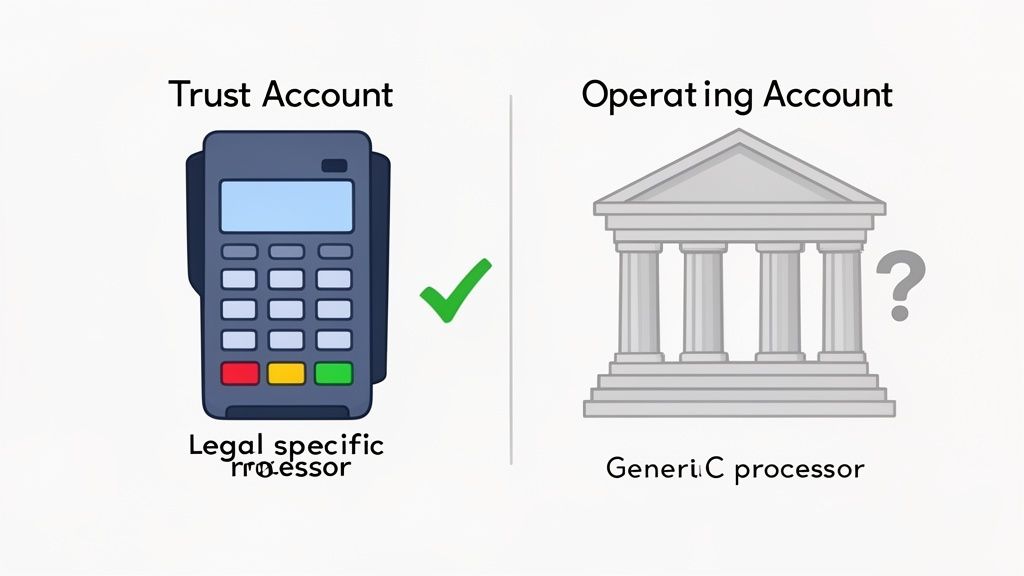
Legal-Specific vs. General-Purpose Processors for Attorneys
The critical difference is compliance. A legal-specific payment processor is engineered to understand and protect your IOLTA. It lets you link both your trust and operating accounts and then intelligently direct funds to the correct one with every transaction.
This specialized technology is your best defense against ethical violations. Say a client disputes a retainer payment. A legal-specific processor will pull the chargeback from your operating account, never from your trust account. That single feature can save you from a major compliance disaster.
A generic processor sees a payment. A legal-specific processor sees the difference between an earned fee and a client's trust. That distinction is everything.
Payment Processor Feature Comparison
| Feature | General Processor (e.g., Stripe) | Legal-Specific Processor (e.g., LawPay) |
|---|---|---|
| Account Linking | Typically links to one bank account (operating). | Links to both IOLTA/trust and operating accounts. |
| Fee Deduction | Fees are debited directly from the transaction amount. | Fees are only ever debited from the operating account. |
| Chargeback Handling | Chargebacks are pulled from the account the funds went to. | Chargebacks are pulled from the operating account, even for trust deposits. |
| Reporting | Standard reporting for all transactions. | Detailed reporting that separates trust and operating activity. |
| Compliance Focus | General e-commerce and retail compliance. | Built specifically to meet legal ethical and IOLTA rules. |
The takeaway is clear: while a general processor can move money, it lacks the protective guardrails your firm absolutely needs.
What to Look for in a Payment Partner
When evaluating options, zero in on the core functions that protect your firm. Here are the non-negotiables:
- Dual Account Support: The system must let you connect both your IOLTA and operating accounts and route payments correctly.
- Trust Account Protection: It must prevent processing fees and chargebacks from ever being debited from your trust funds.
- PCI Compliance: The processor must meet Payment Card Industry (PCI) standards to protect sensitive client financial data.
- Clear Reporting: You need detailed reports that cleanly distinguish between trust and operating transactions for easy reconciliation.
Your choice of payment processor directly impacts your firm's security. For a closer look at the standards involved, explore the fundamentals of data security for client information.
Understanding the Processing Fees
Processing fees are just part of the deal. Most are a combination of a percentage plus a small fixed fee (e.g., 2.9% + $0.30). It's tempting to shop for the lowest rate, but the cheapest option is rarely the best.
A processor that saves you a fraction of a percent but puts your trust account at risk is a terrible deal. As client preference for cards skyrockets, the peace of mind from a compliant solution is well worth the cost. The global credit card payments market is projected to hit USD 1,433.49 billion by 2034, confirming clients expect to use them. You can review the complete market research on credit card payments to see the trend.
How Faster Payments Streamline Your Operations
Taking credit cards isn't just a client convenience—it fundamentally rewires your firm's operations. It's the difference between an office drowning in administrative quicksand and one that runs with lean efficiency.
Faster payments translate directly into smarter, more profitable law firm operations.
Think about the non-billable hours you burn on payment chores. Chasing checks, sending reminders, making bank runs, and manual data entry. Attorneys spend up to 48% of their time on administrative work that brings in zero revenue.
When a client pays by card the instant they get an invoice, that wasted time evaporates. The collection cycle shrinks from weeks to minutes, freeing up your team to focus on what matters: practicing law.
From Manual Drag to Automated Flow
The real magic happens when you weave payments directly into your workflow. Instead of treating billing as a separate headache, you make it automatic. This turns a clunky ordeal into a single, smooth action.
Consider the old way:
- You draft and email an invoice.
- The client has to find their checkbook and mail a check.
- You wait.
- The check arrives, so you drive to the bank.
- You manually update your billing software.
Now, contrast that with an integrated system. The client gets an email with a secure link. They click, enter their card info, and you get an instant notification that the invoice is paid. Done.
The True Cost of Inefficient Billing
The hidden cost of slow billing goes beyond wasted time. It creates operational problems that hold your firm back.
- Delayed Cash Flow: Waiting on checks means your money is stuck in limbo, limiting your ability to invest in growth.
- Bloated Admin Overhead: More manual tasks mean you either need more staff or your current team is stretched thin, leading to burnout and mistakes.
- Poor Client Experience: Making it a hassle for clients to pay you creates a frustrating final impression.
By modernizing your payment collection with credit cards, you solve all three problems at once. You get paid faster, slash your administrative burden, and provide a professional experience clients expect.
Integrate Payments Directly Into Your Intake Workflow
The best time to secure a client is the exact moment they decide to hire you. But many firms sabotage this by sending an engagement letter, then a separate invoice, then an intake form. Each step is a delay, and every delay is a chance for a lead to go cold.
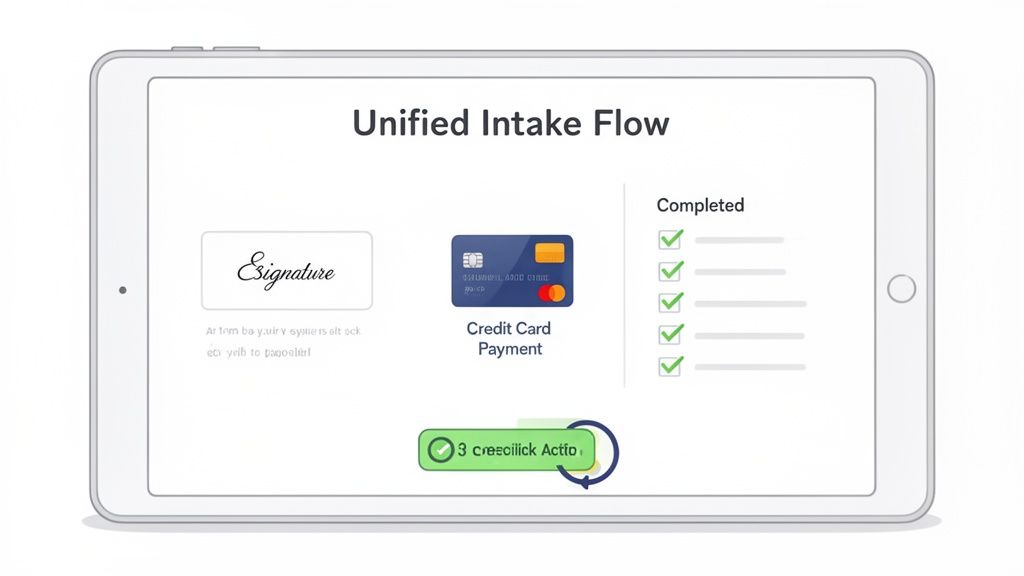
Unify Intake, Signatures, and Payments
A modern intake workflow collapses these steps into a single, decisive action. Imagine sending one link where a new client can review and e-sign their retainer, pay the deposit by card, and fill out their questionnaire—all in five minutes.
This isn’t just about convenience; it’s a powerful conversion strategy. You turn a lead into a signed, paying client before they can call another firm. This is how you win.
The Technology Behind a One-Link Workflow
This seamless experience is powered by integrating best-in-class tools into a single flow. You just need tools that play well together.
- E-Signature Software: Tools like DocuSeal let clients execute agreements from any device.
- Payment Processor: A legal-specific processor like LawPay, often using a Stripe integration, handles the transaction securely.
- Intake Forms: Digital forms capture client and case information without manual data entry.
The goal is to make hiring your firm feel effortless. When a client can go from "I need a lawyer" to "I've hired my lawyer" in one sitting, you've created a powerful competitive advantage.
This integration is made even more effective with the right client intake software for law firms. To further enhance your firm's efficiency, exploring tools like client portal software can help integrate various aspects of your practice. By combining these elements, you don't just answer "do lawyers take credit cards?"—you create a system that uses payments to close clients faster.
Common Questions About Credit Cards for Lawyers
You've seen the upside, but the practical questions are what keep you up at night. Here are straight answers to the questions we hear most from small firms.
Can I Pass Credit Card Processing Fees to My Clients?
This is a minefield. The answer depends entirely on your state's ethics rules. Some states allow a "surcharge" for credit card payments; many others forbid it. You must check with your local bar association first.
But even if you can, should you? A surprise fee feels cheap and creates friction. A cleaner approach is to build the average cost into your overall rate structure. Treat it as a cost of doing business, like office rent or software.
What Happens if a Client Issues a Chargeback?
This is the single biggest risk and the best reason to never use a generic payment processor. If a client disputes a retainer in your trust account, a processor like Square might yank the funds right back out of that IOLTA. That's a catastrophic ethical breach.
Legal-specific payment processors are built to prevent this. They are hard-wired to pull any disputed funds from your firm’s operating account, creating an unbreakable firewall around your trust account. This feature alone is worth its weight in gold.
Your payment system has one primary job: protect your trust account. A chargeback should never, under any circumstances, pull funds from your IOLTA.
Do I Need Separate Merchant Accounts?
Yes. Full stop. This is non-negotiable for compliance. Your payment system has to be smart enough to send money to two different places.
Unearned funds (retainers) must land in your trust account. Earned fees must go into your operating account. Trying to use a single merchant account for both is a guaranteed path to commingling funds. Modern platforms built for law firms handle this routing automatically.
Is It Unprofessional to Ask for a Credit Card?
It's the exact opposite. In today's world, offering convenient, modern payment options is a sign of a professional, client-first firm. It tells a potential client you value their time and have efficient systems.
Failing to accept credit cards is what looks outdated. It creates an unnecessary roadblock right when they’re trying to hire you—the last thing you want when you're trying to get a signed retainer.
Stop losing leads to outdated payment methods. intake.link integrates e-signatures, credit card payments, and intake forms into a single, seamless link, so you can get retained before a client has time to call another firm.
Stop losing leads—get signatures before they call another firm