

Choosing the wrong law firm software costs you more than money—it costs you clients. Your decision in the Clio vs MyCase debate comes down to a single question: do you need an all-in-one system that just works, or a powerful, customizable hub built for growth?
This guide cuts through the noise to give you a direct, practical comparison. We'll show you which platform helps your small firm punch above its weight and which one might leave you drowning in the very administrative work you're trying to escape.
An Overview of Two Legal Tech Leaders
Picking your firm's core software is a huge decision. Get it right, and you unlock efficiencies that let your small team operate like a much larger one. Get it wrong, and you’re stuck with more headaches. After all, research shows attorneys spend 48% of their time on non-billable admin tasks.
This guide focuses on what actually matters for your 1-4 attorney firm. We’ll compare case management, client intake speed, integrations, and the true cost so you can choose a long-term partner for your practice, not just another piece of software.
Clio vs. MyCase At a Glance
If you're just starting, this table highlights the core philosophies of each platform. It’s the fastest way to see which one aligns with your firm’s goals.
| Criterion | Clio | MyCase |
|---|---|---|
| Best For | Growing firms needing a scalable hub with extensive integrations. | Solo and small firms wanting an easy-to-use, all-in-one system. |
| Core Strength | Unmatched integration ecosystem (over 200 apps) and deep customization. | User-friendly interface and inclusive features at lower price points. |
| Client Intake | Handled through Clio Grow, a powerful but separate CRM add-on. | Natively integrated lead management and client portal features. |
| Pricing Model | Tiered plans with key features like CRM sold as separate add-ons. | More inclusive tiers, but can have extra fees for certain services. |
This table gives you the 30,000-foot view. Now, let's dive into how each platform handles the daily grind of running your firm.
Diving Into Core Case Management Features
When you’re weighing Clio vs. MyCase, the core case management features are where you’ll live day-to-day. This is your firm’s command center. A clunky system here is a death sentence by a thousand papercuts; a smooth one lets you actually practice law.
Both platforms handle the basics well—you can create a matter, link contacts, and see a case dashboard in either system. The real difference emerges in how they approach customization and the overall user experience.
Matter Organization and Customization
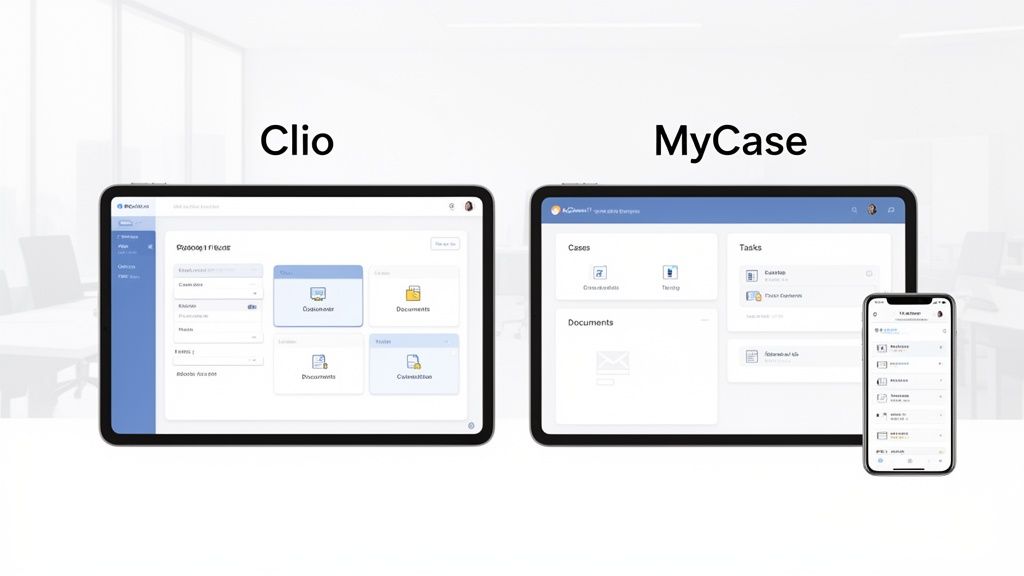
MyCase is all about a streamlined, out-of-the-box experience. Open a matter, and the layout is clean and simple to navigate. Your key info—contacts, documents, calendar events—is right there. It’s built to get you working with almost zero setup, a huge win for firms that just want things to work.
Clio, on the other hand, bets on deep customization, and its powerhouse feature is its custom fields. While MyCase offers some custom fields, Clio lets you build incredibly detailed matter templates tailored to your specific practice areas. You can create unique fields for expert witness details, key deposition dates, or discovery tracking numbers—data points a generic system can't accommodate.
This means you bend the software to your will, not the other way around. You build a system that mirrors your firm's exact workflow, which is crucial for efficient law firm operations.
Document Management and Workflows
Document handling is another key battleground. Both systems integrate with cloud storage like Dropbox and OneDrive, but their native capabilities differ.
MyCase gives you a solid, built-in document management system. You can upload files, share them through the client portal, and organize everything into case-specific folders without much fuss. It’s reliable and straightforward for firms with standard document needs.
Clio pushes further with advanced tools like version control and document automation. Its system lets you generate complex legal documents from templates, pulling data directly from the custom matter fields you created. That kind of automation is a massive time-saver.
Here’s how they stack up in a typical workflow:
| Feature/Task | MyCase Approach | Clio Approach |
|---|---|---|
| New Matter Setup | Guided, template-driven process with pre-set fields. Fast and easy to learn. | Highly customizable with unlimited custom fields for practice-specific data. |
| Document Versioning | Basic file storage and organization. | Advanced version control to track changes and revisions over time. |
| Task Delegation | Simple task creation linked to cases and users. | Granular control with task lists, templates, and automated reminders. |
Tasks, Calendars, and Mobile Access
For a small firm, keeping everyone on the same page without endless meetings is the goal. Both platforms deliver robust calendaring and task management that syncs across your team. You can assign tasks to paralegals, set deadlines, and tie them directly to the right matter.
Where Clio often pulls ahead is in the sheer granularity of its task management. You can create "Task Lists," which are templates for your recurring workflows. Open a new personal injury case, and you can apply a task list that instantly generates 20+ standard tasks—from filing the initial complaint to sending discovery requests—and assigns them to the right people.
MyCase handles tasks perfectly well on a case-by-case basis, but Clio's knack for automating entire workflows is a huge efficiency booster for firms with a high volume of similar cases. Both have excellent mobile apps, so you can manage your practice from anywhere.
Winning Clients with a Faster Intake Process
Your intake process is your firm’s first, and often only, chance to make a great impression. A slow experience sends potential clients straight to your competitors. When you’re weighing Clio vs. MyCase, how each platform helps you turn an inquiry into a paying client is a massive differentiator.
This isn't just about convenience; it’s about survival. Remember, 67% of clients choose the first firm that responds professionally. Every moment of delay, every extra step, and every confusing form is costing you business. Your intake system has to be built for speed and simplicity, the core principles of an effective law firm client intake process.
Clio’s Dedicated CRM vs. MyCase’s Integrated Approach
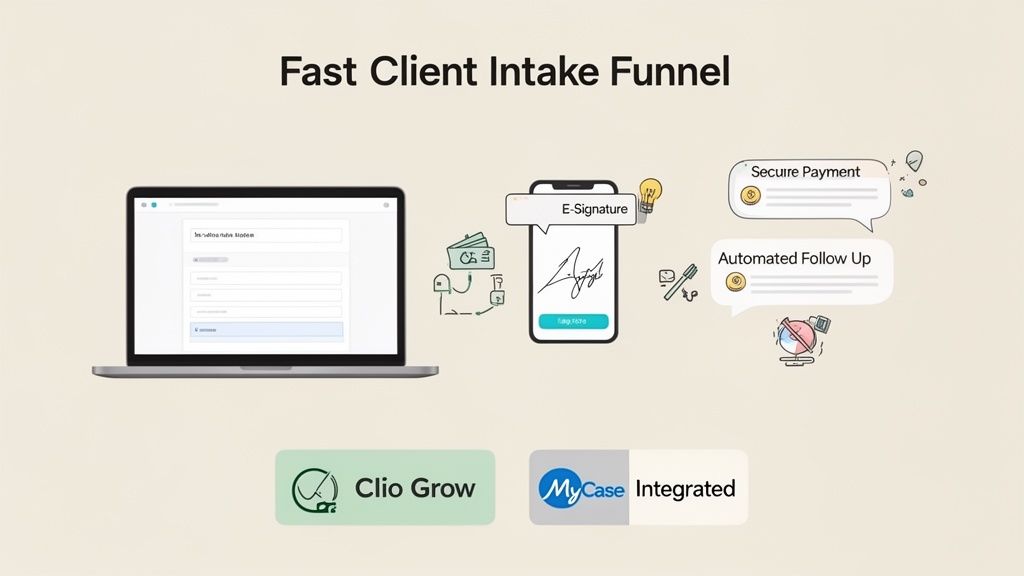
The two platforms take fundamentally different paths here. MyCase builds lead management directly into its core platform. Clio handles it through a separate, deeply integrated add-on called Clio Grow.
For many small firms, MyCase’s all-in-one method is its biggest selling point. You can create intake forms and track leads from the same interface where you manage active cases. It’s straightforward, and you aren’t jumping between products.
Clio Grow, on the other hand, is a full-blown client relationship management (CRM) tool. This separation allows for more powerful features focused purely on converting leads. You can build complex intake workflows, create automated email campaigns, and track exactly where your best clients are coming from. For firms serious about marketing and growth, Clio Grow is the more powerful engine.
Comparing Intake Forms and Automation
Both platforms let you create custom online forms to gather client information, which is a huge step up from manual data entry. But their capabilities diverge when you look at automation.
MyCase offers solid, easy-to-use forms that you can embed on your website. When a prospect fills one out, their information automatically creates a lead profile in your system. It's a massive improvement over managing inquiries via email and spreadsheets.
Clio Grow takes this a step further. Its forms are more dynamic and can trigger sophisticated follow-up sequences. For example, a submitted form can automatically schedule follow-up tasks for your staff, ensuring no lead falls through the cracks.
E-Signature and Payment Collection: The Final Step
Getting that signed retainer and initial payment is the moment that matters most. Any friction here can kill a deal. Both Clio and MyCase have built-in e-signature and payment processing.
MyCase’s integrated approach shines here for its simplicity. You can send a retainer agreement for signature directly from a case file, and the client can sign and pay from a single portal. It’s clean and efficient.
Clio’s process is just as smooth, handling e-signatures through Clio Grow and payments via Clio Payments. You can create a "Quick Intake" link that bundles the intake form, retainer agreement, and payment request into one seamless workflow. That unified experience is what busy clients expect.
How Each Platform Handles Billing and Payments
Getting paid is the lifeblood of your firm. A clunky billing process doesn't just frustrate clients; it directly hits your cash flow. When you put Clio vs. MyCase side-by-side on billing, you see the core differences in their design.
Both have their own built-in payment systems—Clio Payments and MyCase Payments—to make accepting credit cards and eChecks simple. The real daylight between them appears when you dig into flexibility and reporting.

Time Tracking and Invoice Generation
MyCase is built for straightforward efficiency. Its time-tracking tools are clean, letting your team log hours directly to a matter. Generating invoices is a quick, no-fuss process. For firms that mostly run on standard hourly billing, it’s a reliable workhorse.
Clio gives you more granular control. You can set up complex fee structures—flat-fee, contingency, and custom hourly rates on a per-matter basis. This means you can create detailed invoices that match specific client agreements without clunky manual workarounds. Clio’s advanced billing is a clear advantage for firms with multiple practice areas and different billing models.
The Client Payment Experience
Both platforms offer online client portals where clients can securely view and pay invoices. This alone is a huge upgrade from mailing paper checks.
MyCase Payments is all about simplicity. Clients get a clean, easy-to-use portal to settle their bills. It’s designed to be as frictionless as possible.
Clio Payments offers more robust features, like payment plans. You can set up automated recurring payments, which is a game-changer for collecting monthly retainers or managing large balances over time.
Transaction Fees and Accounting Integrations
Both Clio Payments and MyCase Payments charge competitive transaction fees. It’s smart to check their current rates directly.
The bigger difference is in accounting integrations. Both platforms offer a solid two-way sync with QuickBooks Online, which is non-negotiable for accurate bookkeeping. However, Clio's massive integration library gives you far more options if you use other software. Getting your practice management and accounting tools to talk is fundamental, as our guide on connecting your CRM and QuickBooks explains.
Comparing Integrations and Tech Ecosystems
Your practice management software is the engine, but it can't run the business alone. It needs to connect to other tools you depend on, from QuickBooks to Dropbox. This is where the integration debate between Clio and MyCase gets critical.
Picking a platform with a weak tech ecosystem sentences your team to endless manual data entry and creates frustrating information silos. The right platform acts as a central hub, making your entire tech stack smarter.
Clio’s Open Platform vs. MyCase’s Walled Garden
The philosophical difference between the two is clearest here. Clio was built to be an open platform that connects to hundreds of other apps. MyCase, historically, took a "walled garden" approach, aiming to provide most of what you need inside its own system.
Clio’s App Directory is its crown jewel, boasting over 200 integrations with tools your firm already uses, including accounting, document storage, and specialized intake tools like intake.link. This gives you the freedom to build a custom tech stack that’s a perfect fit for your firm.
MyCase is playing catch-up. While it covers essentials like QuickBooks, its ecosystem is far less developed. If you rely on a niche application for your specific practice area, you’re more likely to hit a dead end, forcing your team into manual workarounds.
The Real-World Impact on Your Firm
So what does this actually mean for your day-to-day? Imagine a new client hires you. With an integrated system like Clio, data from your intake form can automatically create a contact, open a matter, and sync with your accounting software to generate the first invoice. It's a single, automated chain of events.
With a less connected system, each step might require manual copy-pasting. That doesn't just eat up time; it's a breeding ground for errors. A robust integration ecosystem is how you build leverage for your small team. For firms focused on growth, Clio’s open API and vast integration directory are a significant advantage, as shown in this side-by-side market analysis.
Understanding Pricing and Total Value
The sticker price is just the beginning. To understand the cost in the Clio vs. MyCase debate, you have to look past the monthly fee to the total value each platform brings to your firm.
MyCase often looks more budget-friendly at first glance. Its pricing tiers tend to bundle more features, like lead management, right out of the box. This makes it an attractive all-in-one package for solos and small firms who want predictable costs.
Clio takes a more modular approach. Its core product, Clio Manage, is priced competitively, but its powerful intake tool, Clio Grow, is a separate subscription. This bumps up the total cost but gives you a more robust engine for growth.
Uncovering Hidden Costs and Calculating ROI
The real financial analysis goes beyond subscription fees. You need to account for potential "hidden" costs like data migration and payment processing fees from Clio Payments and MyCase Payments.
The biggest cost isn't on the invoice—it's the opportunity cost of inefficiency. If one platform's automation saves each attorney just three non-billable hours per month, it has already paid for itself many times over.
Pricing and Feature Comparison by Tier
Here’s a snapshot of what you get for your money. Tiers and features can change, so always check their websites for the latest details.
| Tier Level | Clio Price and Key Features | MyCase Price and Key Features |
|---|---|---|
| Basic / Essentials | Clio EasyStart ($39/user/mo): Core case and document management, billing & invoicing, basic calendaring, Clio Payments. Geared for solos getting started. | MyCase Basic ($39/user/mo): Case management, billing & time tracking, client portal, calendar, and document management. A strong all-in-one for new firms. |
| Mid-Tier / Pro | Clio Essentials ($69/user/mo) & Advanced ($99/user/mo): Adds custom fields, task automation, and over 250 integrations. The Advanced tier includes more robust reporting and workflow automation. | MyCase Pro ($69/user/mo): Adds lead management, e-signatures, text messaging, and more advanced billing features. This is often the sweet spot for small firms. |
| Advanced / Enterprise | Clio Complete ($129/user/mo): Full suite of features including advanced reporting, API access, and premium support. Designed for larger firms or those needing deep customization. Note: Clio Grow is a separate add-on. | MyCase Advanced ($89/user/mo): Includes everything in Pro plus full marketing automation (campaigns, lead scoring) and advanced business analytics. Aims to be the single source of truth for a growing firm. |
As you can see, MyCase packs more functionality like lead management into its lower-cost tiers. Clio reserves its most powerful automation for its higher tiers and treats its marketing suite as a distinct product.
Which Platform Delivers More Value?
So, which is the better investment? MyCase delivers outstanding value by consolidating essential tools into one easy-to-use system. Clio’s value shines through its scalability and integration power. The question isn't just what you pay, but what you get back in billable hours and converted clients.
The Final Verdict: Which Is Best for Your Firm?
It's decision time. Choosing between Clio and MyCase isn't about picking the "best" software, but the right operational backbone for your firm. The core of the Clio vs. MyCase decision comes down to your ambition and operational style.
Do you value an all-in-one, user-friendly system that works perfectly out of the box? Or do you need a powerful, customizable hub to build a sophisticated tech stack around?
Your Firm's Growth Trajectory
For solo attorneys and small firms who prioritize simplicity, MyCase is often the smarter choice. Its all-inclusive pricing bundles critical features into lower tiers. The intuitive interface means you can get up and running with minimal friction and focus on practicing law, not configuring software.
For small firms with clear growth ambitions, Clio is the more powerful, future-proof platform. Its unmatched integration ecosystem—with over 200 apps—and deep customization give you the flexibility to scale. Clio is designed to be the central nervous system of your operations as your firm evolves.
This flowchart provides a simple decision-making framework.
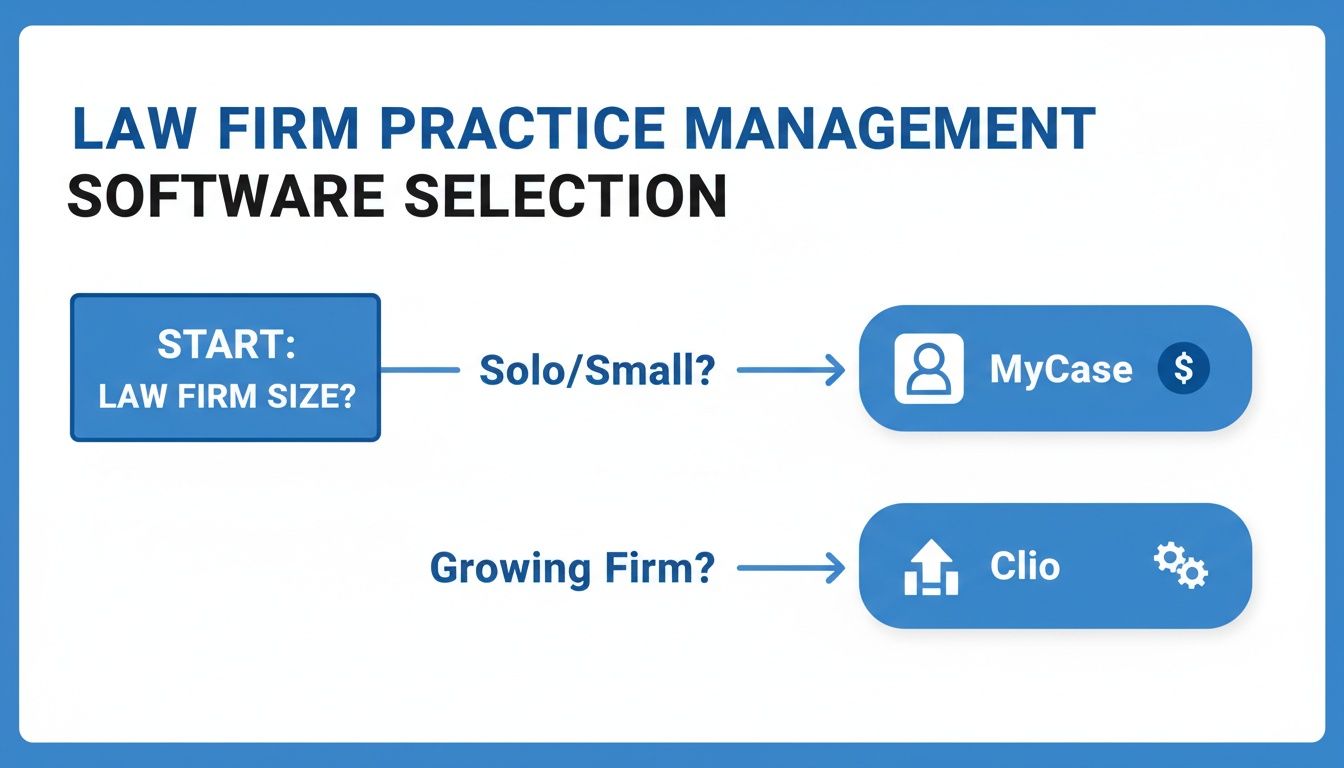
The visualization reinforces a key takeaway: your firm's scale and growth goals are the primary factors in this decision.
The Final Recommendation
Your next move should be a clear-eyed assessment of your firm's immediate needs and long-term goals. Don't get distracted by features you won't use.
Choose MyCase if you want an easy-to-use, all-in-one solution that delivers immediate value with minimal setup. It’s perfect for solos and small firms that need a reliable system to manage cases efficiently today.
Choose Clio if you are building a firm for the future. Its scalability and integration power provide the foundation you need to build automated workflows that support your growth for years to come.
Either platform will dramatically improve your firm's operations. The key is to pick the one that aligns with your vision. Your goal is to respond faster and more professionally, especially when 67% of clients choose the first firm that responds.
No matter which practice management software you choose, your client intake process is the most critical step for converting leads. intake.link integrates with your system to consolidate signatures, payments, and forms into a single link, so you can get retained before a potential client has a chance to call another firm.