

Are you losing billable hours to administrative chaos? If you're running a small law firm, you're likely juggling a dozen different apps just to manage cases, track time, and get paid—a headache that MyCase legal software was built to solve. It’s designed to be the central command center for your entire practice, replacing scattered tools with one unified system.
Think of it as the operational backbone that lets you focus on practicing law, not managing software. By centralizing everything, you can reclaim the estimated 48% of time attorneys spend on non-billable admin tasks. This guide breaks down exactly what MyCase offers so you can decide if it's the right fit for your firm. If you're looking to build smarter backend systems, our cornerstone guide on law firm operations systems that scale is a great place to start.
What Is MyCase and How Does It Work?
MyCase is an all-in-one, cloud-based legal practice management software made for solo attorneys and small law firms. It brings everything—client communication, document management, time tracking, and billing—under one roof. Instead of fighting with five different subscriptions, you run your entire caseload from a single dashboard accessible from anywhere.
This integrated approach is now the standard. The legal tech market is projected to hit USD 13.4 billion by 2033, driven by cloud platforms like MyCase that offer flexibility over clunky, on-premise servers. You can learn more about these legal tech market trends to see why firms are making the switch.
MyCase Software at a Glance
| Attribute | Description |
|---|---|
| Software Type | All-in-one, cloud-based legal practice management |
| Target User | Solo attorneys and small law firms (1-4 attorneys) |
| Core Value | Centralizes firm operations to reduce admin work and increase efficiency |
| Key Functions | Case Management, Billing, Client Communication, Document Management |
By integrating these functions, MyCase helps your small firm operate with the efficiency of a much larger practice, letting two people do the work of four.
A Central Hub for Your Firm's Operations
At its heart, MyCase is designed to tame the chaos of running a law firm. It systematically tackles the administrative overload that plagues small practices, freeing you up to focus on your clients. You can track time, manage critical deadlines, and securely share case files without ever leaving the platform.
The main dashboard gives you a bird's-eye view of your entire firm at a glance.
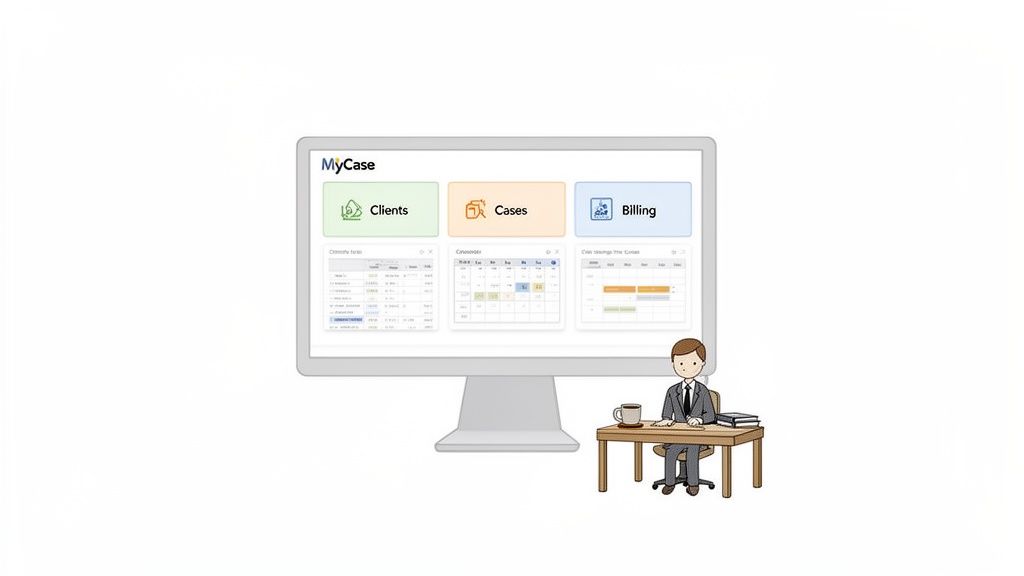
It immediately lays out your upcoming tasks, calendar events, and recent client activity. This gives you a clear snapshot of the day's priorities the moment you log in.
MyCase operates on a simple but powerful principle: a small firm shouldn’t need a dozen software subscriptions to run its business. By combining essential functions into one system, it cuts down on complexity and kills the manual data entry that leads to costly mistakes.
Ultimately, the software serves three critical functions every small law firm needs:
- Case Management: It keeps every document, contact, calendar event, task, and note related to a specific matter organized in one place. No more hunting through folders and inboxes.
- Client Communication: It provides a secure client portal for messaging and file sharing. This dramatically reduces phone tag and creates a clear communication record.
- Billing and Invoicing: The platform has built-in tools for tracking time, managing expenses, generating professional invoices, and accepting online payments.
By integrating these features, MyCase helps you build repeatable, scalable processes, ensuring nothing falls through the cracks—even when your caseload gets heavy.
Core MyCase Features That Streamline Your Practice
Let's get past the marketing promises and look at the actual tools inside MyCase legal software you'd use every day. The reality for most busy attorneys is that nearly half their time—a staggering 48%—is eaten up by non-billable administrative work. MyCase is designed to attack that lost time by pulling your firm’s essential functions into one place.
It's not just about a long list of features. It's about how they work together to stop you from doing the same task twice. With an estimated annual revenue of $55.2M, it’s clear MyCase has built a product that works for a lot of law firms.
Centralized Case and Matter Management
The heart of MyCase is its case management system. Forget digging through shared drives and endless email threads. Every piece of information for a case lives in one spot.
This includes:
- Documents: Store and share case files securely.
- Tasks: Assign to-dos to yourself or your team with clear deadlines.
- Calendars: Link events and court dates directly to the case.
- Notes: Keep a running log of every development and client conversation.
By tying every item to a specific matter, you get an instant, organized snapshot of where things stand.
The clean design separates core functions like cases, billing, and communication. This makes it easy to jump straight to the tool you need without getting buried in menus.
Integrated Billing and Invoicing
Getting paid shouldn't feel like a separate job. MyCase weaves time tracking, expense logging, and invoicing into a single, smooth workflow. You can track billable hours from your computer or phone, ensuring those small chunks of time actually make it onto an invoice.
When you're ready to bill, the system automatically pulls all tracked time and expenses into a professional-looking invoice. From there, clients can pay online via credit card or eCheck. This simple feature can drastically cut down the time it takes to get paid compared to waiting for paper checks.
Secure Client Portal for Communication
Constant phone tag and "just checking in" emails are productivity killers. The MyCase Client Portal gives you a secure, private hub for all communication with a client.
Think of it as a private digital lobby for each client. They can log in to send secure messages, upload documents, view their case calendar, and check their latest invoice—all without needing to call your office.
This not only gives clients the transparency they crave but also creates an automatic, organized record of every interaction. It’s a professional touch that saves you hours of administrative back-and-forth each week.
Workflow Automation and Task Management
For a small firm, consistency is everything. MyCase lets you build custom workflow templates for different case types. For example, you can create a standard workflow for a divorce case that automatically generates a checklist of tasks and deadlines the moment you open the matter.
This ensures crucial steps, from initial conflict checks to filing deadlines, are never missed. While this feature is great for standardizing your internal work, managing your client relationships is just as critical. For a deeper dive, check out our guide on choosing the right CRM for your law firm.
These automated workflows are how you scale your practice without just hiring more people. They let a small team operate with the consistency of a much larger firm.
How MyCase Manages Client Intake
Your intake process is the first handshake a potential client has with your firm. A slow, clumsy experience can send them straight to your competitor. The MyCase legal software platform tackles this by centralizing lead management and client onboarding tools, aiming to slash the manual work that costs you clients.
At the heart of the MyCase intake system are its customizable online forms. You can add these to your website to capture leads 24/7. When a potential client fills one out, their details automatically create a new lead record in MyCase, eliminating manual data entry.
From Lead Capture to Signed Retainer
Once a lead is in the system, MyCase gives you a clear path to move them forward. You can track their status, assign follow-up tasks, and schedule consultations directly from their record. It's an organized system designed to stop promising leads from falling through the cracks.
When a lead is ready to hire you, you can generate a retainer agreement from a template and send it for an e-signature right inside the platform. That built-in feature is a massive improvement over the old print-scan-email shuffle.
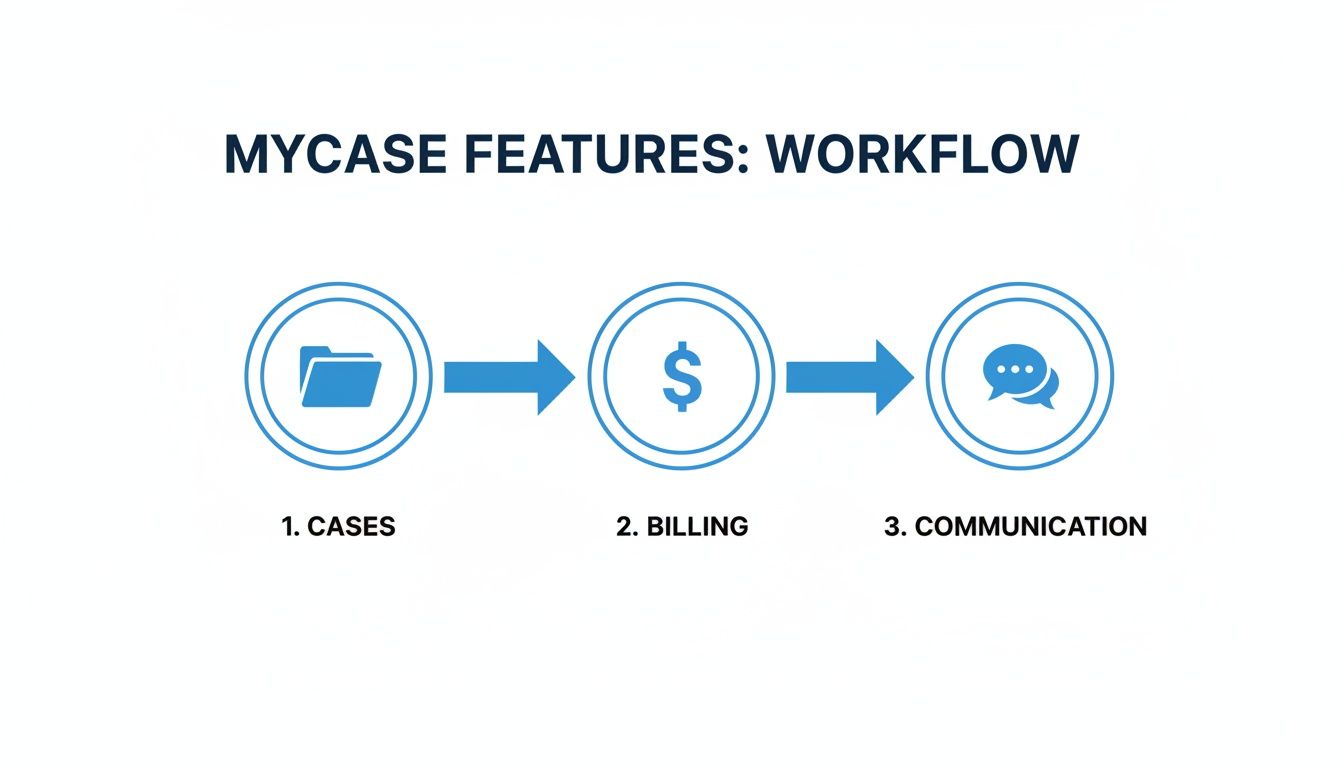
This workflow shows how the platform ties your firm’s core functions together, preventing the operational silos that create chaos.
Assessing the Client Experience
While MyCase pulls several intake steps together, look at it from the client's point of view. For them, the journey often involves a few separate stages:
- Filling out the initial intake form on your website.
- Getting a separate email with a retainer agreement to sign.
- Possibly receiving another link for payment.
Each handoff is a potential friction point—a moment where a client can get distracted or change their mind. In a market where speed wins, every extra click matters. This is where you need to evaluate different client intake software for law firms to decide which model best helps you turn leads into clients fast.
Conversion Rates and System Effectiveness
Even with a multi-step process, the system delivers solid results. In 2023, firms using MyCase captured over 58,000 leads and converted more than 10,000 of them, hitting an average conversion rate of 17.6%. That's leagues ahead of the broader legal industry's average of around 2.6%.
The takeaway is that an organized system—even one with multiple steps—is infinitely better than a disorganized manual one. By automating data entry and follow-ups, MyCase helps firms sign clients who would otherwise get lost in administrative chaos.
However, for firms obsessed with maximizing conversion speed, the goal is a workflow that combines forms, signatures, and payments into a single action. That unified approach eliminates drop-off between steps, letting a client go from inquiry to retained in minutes, not days.
Understanding MyCase Pricing Plans
For a small law firm, every dollar has to justify itself. Choosing the right software plan isn’t just about getting cool features; it’s about getting the best value for your firm's current size without paying for tools you’ll never use.
Like most practice management software, MyCase uses a tiered pricing model. You pay a set fee per user, per month, and more advanced features unlock as you move up the plans. Let's break down what that really means for your budget.
Breaking Down the MyCase Pricing Tiers
MyCase offers three main plans, each built for a different stage of a firm's growth. Getting the differences right is key to avoiding overpaying or underpowering your practice.
- Basic Plan: This is your starting point. It covers the essentials like case management, a client portal, document tools, and core billing. Think of it as the foundation for solo attorneys or small firms just getting organized.
- Pro Plan: This is the most popular tier. It includes everything in Basic but adds serious efficiency boosters like workflow automation, text messaging from the platform, and integrations with tools like QuickBooks Online. This plan is for firms ready to stop doing repetitive tasks by hand.
- Advanced Plan: The top-tier plan adds features for firms focused on growth. It has everything from Pro, plus advanced business analytics, open API access for custom integrations, and dedicated client intake management tools.
The trigger to upgrade is usually a need for more automation. If you spend too much time on manual checklists or syncing financial data, the features in the Pro plan start to look very attractive.
A quick look makes it obvious: workflow automation and key integrations are the main reasons a firm would jump from the Basic to the Pro plan.
MyCase Pricing Tier Comparison
This table gives a side-by-side look at what each plan offers and who it's really designed for.
| Plan | Core Features | Best For |
|---|---|---|
| Basic | Case & Contact Management, Client Portal, Document Management, Billing & Invoicing | Solo attorneys and small firms needing to centralize core operations. |
| Pro | Everything in Basic, plus Workflow Automation, Text Messaging, QuickBooks Online Integration | Growing firms ready to automate repetitive tasks and improve client communication. |
| Advanced | Everything in Pro, plus Advanced Analytics, Open API Access, Dedicated Intake Management Tools | Data-driven firms focused on scaling, optimization, and custom integrations. |
The goal is to find the sweet spot where the features solve your biggest headaches without adding unnecessary costs.
Calculating the True Cost of MyCase for Your Firm
That "per user, per month" price is just the starting line. For a two-attorney firm with one paralegal, you’d multiply the monthly fee by three, then by twelve for the full annual cost.
Keep an eye out for potential extra costs. Data migration services, for instance, can sometimes carry a one-time fee to move your existing case files into the new system. It's also smart to clarify what level of customer support comes with your plan.
It’s also wise to compare this all-in-one model against specialized tools. For example, reviewing the pricing for conversion-focused intake systems can give you a better sense of value if turning leads into clients is your top priority. Match your investment to your firm’s most pressing needs.
The Pros and Cons of Using MyCase
No software is a silver bullet. Before you commit to MyCase legal software, you need a clear-eyed view of where it excels and where it has limitations. Let's break down the trade-offs so you can decide if it’s the right engine for your firm.
MyCase Pros: What It Does Well
The single biggest win with MyCase is its unified system. If you’re a small firm drowning in scattered spreadsheets and separate invoicing apps, this is a game-changer. It consolidates your tech stack, which slashes your monthly subscription costs and headaches.
Another major plus is the clean, intuitive interface. You don't need a computer science degree to figure it out. That simplicity means your team will spend less time in training and more time actually using the tool.
Here’s where MyCase really shines for small law practices:
- All-in-One Simplicity: It brings case management, billing, and client communication under one roof. This helps you build the integrated law firm operations systems that scale.
- Strong Client Portal: The secure portal drastically cuts down on phone tag and "just checking in" emails by giving clients a single place for updates, documents, and payments.
- Ease of Use: The platform is built to be straightforward. Most firms can get up and running quickly, which is a massive advantage when you don’t have an IT department.
MyCase Cons: Potential Drawbacks to Consider
While the all-in-one model is fantastic for covering the basics, it can feel restrictive for firms with specialized needs. MyCase is a jack-of-all-trades, which means it isn't necessarily the master of any one thing—especially client intake and conversion.
The platform's intake process works, but it’s a multi-step affair. A potential client might fill out a form, then wait for an email with a retainer, then get another link to pay. Every handoff is a friction point where a motivated lead can lose momentum.
In the race to sign a new client, every delay is a risk. A clunky intake process gives a prospect time to have second thoughts or call the next firm on their list. Getting the form, signature, and payment handled in a single action is key to converting leads faster.
Here are the primary limitations to keep in mind:
- Limited Customization: If your practice has unique workflows, you might find MyCase’s options too rigid compared to more purpose-built software.
- Fragmented Intake Experience: By separating intake forms, e-signatures, and payments, the process introduces friction that can slow down or kill conversions. This is a huge deal when you consider that leads contacted within 5 minutes are 21x more likely to convert.
- Generalist vs. Specialist: Because it does so much, its individual features may lack the power of dedicated, best-in-class tools built for one specific job.
How to Implement MyCase in Your Firm
Picking new software is easy. Getting your team to actually use it without disrupting productivity is the real challenge. A messy rollout can waste more billable hours than the software is supposed to save.
Successfully getting MyCase legal software running hinges on a clear, step-by-step plan. Focus on quick wins and cause as little disruption as possible. The goal is to get your firm proficient on the core tools that deliver the biggest impact, fast.

Your Phased Rollout Plan for MyCase
Don’t try to do everything at once. A smooth implementation happens in manageable stages. Start by assigning one person to lead the charge—your "MyCase champion."
Here’s a simple, four-step checklist to guide your transition:
- Data Migration: Start by getting your client contacts, case files, and calendars into the system. MyCase offers support for this, but do yourself a favor: clean up your data before you import it.
- Core Feature Training: Focus initial training on the tools your team will touch every day. Prioritize time tracking, document management, and the client portal. Building these habits from day one is critical.
- Financial Setup: Next, get the money side connected. Set up MyCase Payments to accept online payments and integrate with QuickBooks if you're on the Pro plan or higher.
- Workflow Automation: Once the basics are humming, build out your first automated workflow for a common case type. This immediately shows the team how the software cuts down on busywork.
Getting Your Team Onboard
Let's be honest, the biggest hurdle is human nature. Your team is used to doing things a certain way. Sell the change by focusing on how it makes their daily work less of a headache.
Don't just show them how to use a feature; explain why it makes their job easier. The client portal isn't just another messaging tool—it's the end of endless phone tag and digging through email chains for case updates.
Show your paralegal how a workflow template means they never have to manually create the same 15 tasks for every new client again. Show your attorneys how the mobile app lets them track billable time from the courthouse. These real-world wins are what get people to embrace a new system and build strong law firm operations systems that scale.
Your Questions About MyCase, Answered
You just want straight answers, not a sales pitch. Here are the most common questions small law firm owners ask about the MyCase legal software platform.
Does MyCase integrate with QuickBooks and other tools?
Yes, MyCase offers a critical integration with QuickBooks Online, which is a massive time-saver for accounting. It eliminates the soul-crushing task of double-entry for invoices and payments.
The platform also works with Gmail, Outlook, and Dropbox. For other tools, you might need a connector like Zapier to build a bridge. Map out your must-have tools and confirm they’re supported before you sign on the dotted line.
How secure is my client data in MyCase?
MyCase uses bank-grade, 128-bit SSL encryption for all data. In plain English, your firm’s information is protected at the same level as your online bank. Your data is stored in secure, redundant data centers.
For a small firm, this cloud-based security is almost always stronger than a server sitting in a closet. It protects your sensitive client data from real-world disasters like theft, fire, or hardware failure.
Can I access MyCase on a mobile device?
Absolutely. MyCase has dedicated mobile apps for both iOS and Android, which is non-negotiable for a modern lawyer. You can't be chained to your desk.
From your phone or tablet, you can pull up case files, your firm calendar, time tracking tools, and secure messages with clients. This mobility means you stay productive whether you're in a courthouse hallway or meeting a client for coffee.
Is MyCase good for my specific practice area?
MyCase is a general practice management tool that works exceptionally well for common practice areas like family law, personal injury, and criminal defense. Its core features for case management, billing, and communication are solid and broadly useful for most small firms.
However, if you're in a highly specialized field with unique compliance rules or workflow demands, do your homework. Dig into its customization options to see if they're flexible enough for your needs. If not, a more niche, practice-specific platform might be a better fit.
At intake.link, we focus on perfecting the most critical moment in your client relationship—that first impression. We combine your forms, signatures, and payment into a single, seamless link so you can convert leads before they have a chance to call another firm.