

That gap between a potential client’s call and their signed retainer? It’s where your law firm is leaking revenue. A slow, clunky process doesn't just annoy potential clients—it sends them straight to your competitors before you even get a chance.
So, what is client onboarding? For a small law firm, it's the race to turn an interested lead into a paying, retained client. It’s the entire journey from that first contact to a signed agreement and a paid retainer, and every manual step is another chance for that lead to hang up and call someone else. The good news is you can fix it.
Why Your Current Onboarding Process Loses Clients
For a busy small law firm, the time between a prospect’s initial contact and getting that signed retainer back is treacherous. It's a race, and every piece of friction—every PDF you email, every follow-up call for a credit card number—gives a motivated client a reason to look elsewhere. In this race, speed wins. Leads contacted within 5 minutes are 21x more likely to convert.
This isn’t just an administrative headache; it’s a direct hit to your bottom line. Bad client onboarding is a silent profit killer. Slow response times and clunky intake procedures cause firms to lose a staggering number of qualified leads. If you want to stop losing leads before they even hire you, you need to understand how to build a faster, more streamlined conversion process. This is the core of our guide on how to get [/blog/conversions/stop-losing-leads-faster-conversions].
A clunky, slow onboarding process sends a terrible first impression. It tells a potential client your firm might be disorganized or inefficient, undermining their confidence before you even start on their case.
From Manual Chaos to Modern Efficiency
Let's be honest: the old way of onboarding clients is a mess of disjointed, manual tasks. Your process probably looks something like this:
- Step 1: You email a Word doc or a fillable PDF intake form.
- Step 2: The client has to download, print, fill it out by hand, scan it, and email it back.
- Step 3: Your staff manually types all that information into your case management system.
- Step 4: You send a separate email with the engagement letter for a signature.
- Step 5: You follow up again to chase down their retainer, often taking sensitive info over the phone.
Each of these steps is a delay. Each one is a point where the client can just give up.
Old vs. New: A Quick Comparison
| Stage | Traditional Method (Slow and Risky) | Modern Method (Fast and Secure) |
|---|---|---|
| Intake Form | Emailing PDFs; client must print, scan, return | A single, mobile-friendly link; client fills out on their phone |
| Engagement | Sending a separate e-signature link (e.g., DocuSign) | Signature is part of the same seamless flow as the intake form |
| Payment | Phone calls to collect credit card info; mailing checks | Secure payment portal integrated directly into the onboarding link |
| Data Entry | Staff manually re-types all client info into a CRM for your law firm | Information syncs automatically, eliminating typos and wasted time |
| Timeline | Days or weeks, with multiple follow-ups required | As little as 10 minutes from start to finish |
The modern approach flips the script by consolidating these tedious steps into a single, secure link. A potential client can fill out their info, sign your engagement letter, and pay their retainer in one smooth motion—often in less than 10 minutes on their phone.
That speed isn't just a convenience; it's your biggest competitive advantage.
The Six Stages of a Client-Winning Onboarding Process
Client onboarding isn’t a single event. It’s a precise sequence that guides someone from a curious prospect to an active, paying client. Getting this flow right is the key to turning a trickle of leads into predictable firm growth.
Think of it as a journey with six critical stages. Each step is a chance to build momentum and prove your firm is the right choice—or to create friction that sends potential clients straight to your competitors. When you stitch together separate, clunky tools for each stage, you're designing a leaky pipeline.
This is the classic failure point for so many firms: a broken, multi-step process that bleeds money.
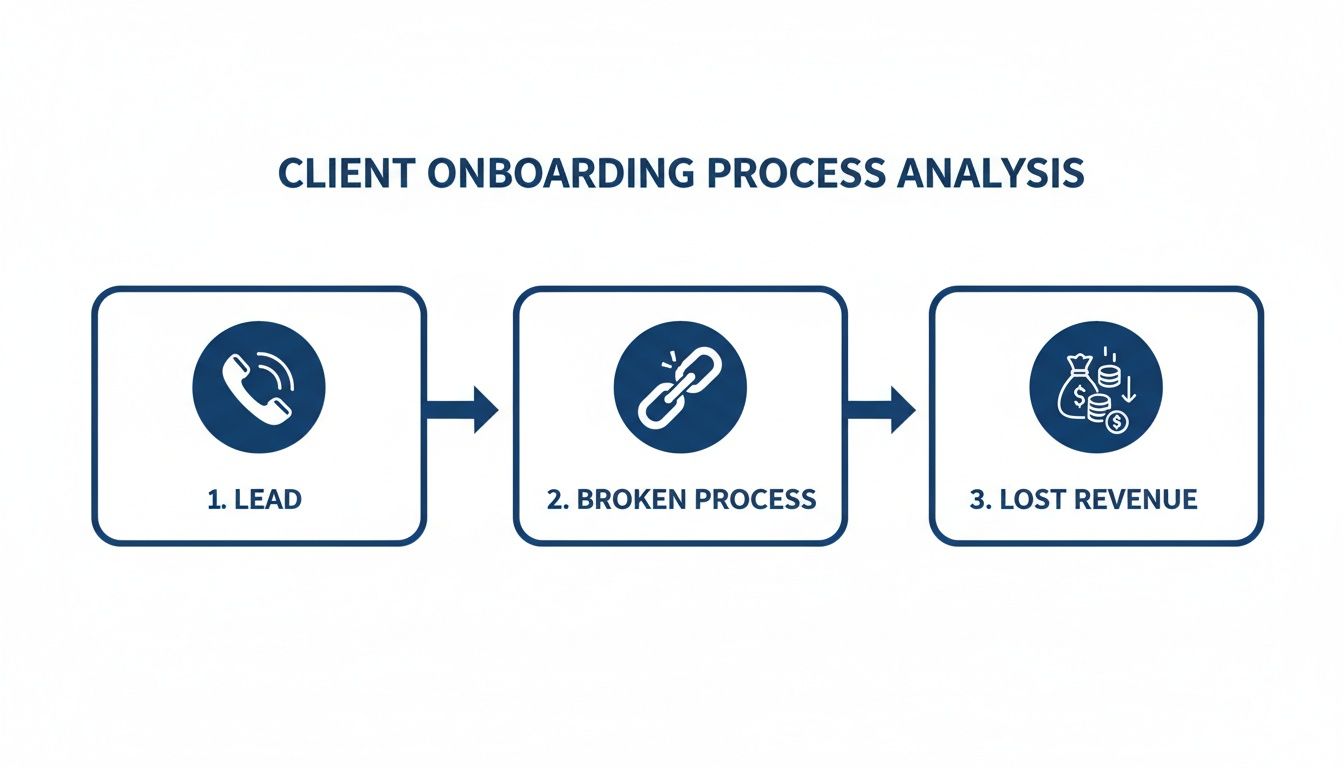
The problem isn’t one bad tool—it’s the gaps between the tools where your best leads fall off a cliff.
Stage 1: Lead Capture and First Response
This is your first impression, and it happens in minutes. Whether a lead fills out your website form or calls your office, that initial reply sets the tone. A slow or generic response immediately suggests their problem isn't your priority.
Stage 2: The Intake Form
Here, you collect essential details about the person and their legal issue. The old way—emailing a clunky PDF they have to print and scan—is a massive bottleneck. A modern intake form should be a simple, mobile-friendly link they can fill out in minutes.
Stage 3: The Conflict Check
Before you go further, you have to run a conflict check. It's a non-negotiable compliance step. A good onboarding system lets your team perform and document this check quickly on the backend, without ever slowing down the client's momentum.
Stage 4: Engagement Letter and E-Signature
This is where the attorney-client relationship officially begins. Forget sending a separate DocuSign link that gets lost in an inbox. This step should be built right into the same flow. The client provides their info, and the very next screen is your retainer agreement, ready for their signature.
Stage 5: Retainer Payment Collection
Asking for credit card numbers over the phone is insecure and awkward. Instead, the payment should happen immediately after the signature, using a secure portal that’s part of the same onboarding experience. You collect the retainer upfront and secure their commitment on the spot.
Stage 6: Matter Creation and Welcome
Once the retainer is paid, the last piece is creating the matter in your practice management software and sending a welcome message. This should be automated. The data from the intake form should sync instantly, kicking off your internal workflows without manual data entry.
To really dial in each step, it's worth digging into customer onboarding best practices. Mastering this six-stage process is what transforms a law firm from a collection of manual tasks into a client-winning machine.
How Your Onboarding Process Kills Conversions
Your current client onboarding process probably feels "good enough." But the hidden costs of delay and friction are strangling your firm's growth. The single biggest killer is time. Every hour between a potential client's first call and their signed retainer is an open invitation for them to find a faster attorney.
The second killer is friction. Think about the classic, painful process: you email a PDF, and the client is suddenly saddled with a multi-step chore. They have to download it, print it, sign it, scan it, and email it back. What should be a one-click action becomes a gauntlet of small tasks, and each step is a breaking point where a busy, stressed-out client simply gives up.
The True Cost of a Clunky Process
These aren't minor annoyances; they are bright red flags to a potential client. A clunky, manual process sends a clear message that your firm might be inefficient or disorganized. That doubt erodes their confidence before you’ve even started working on their case.
Law firms globally face a daunting average of 24 days to fully onboard a new client. For a mid-sized practice, a timeline that long can cost thousands in lost billable revenue on every single matter.
When your process forces staff to manually re-enter information from a scanned PDF into your case management system, you’re not just burning non-billable hours. You're also opening the door to costly typos that can create serious problems later.
Why You Keep Hearing the Same Complaints
Another major issue is being asked for the same information over and over. Research shows that 35% of clients are specifically irritated by this repetition. It makes your firm look scattered and reinforces the idea that their time isn't valued.
These bottlenecks create a cascade of negative effects:
- Increased Drop-Off: The more time and effort you ask from a lead, the higher the chance they’ll go cold.
- Wasted Staff Time: Your team spends hours chasing paperwork and correcting data entry mistakes instead of focusing on billable work.
- Damaged First Impression: You accidentally communicate that working with your firm is going to be a slow, difficult process.
The fix starts by taking a hard look at your legal client intake form and every single step that follows. By ruthlessly eliminating these friction points, you stop losing clients to a broken process.
Building Your One-Link Onboarding Machine
Stop thinking about client onboarding as a series of separate, clunky steps. Imagine sending a potential client one single link that handles everything: the intake form, the engagement letter, and the retainer payment.
This is the modern, one-link solution that lets your small firm compete and win against practices ten times your size.
This isn't a futuristic concept; it's a practical blueprint for turning disjointed tasks into a single, seamless flow. A unified platform lets you create one reusable workflow. You send the unique link via text or email, and the client can complete the entire process on their phone in just a few minutes.
How It Works in Practice
The beauty of a one-link system is its simplicity. You're not just buying another piece of software; you're buying speed. By combining the three most critical onboarding stages into one mobile-friendly experience, you eliminate the delays where leads go cold.
This is what a clean, branded starting point looks like for your client.
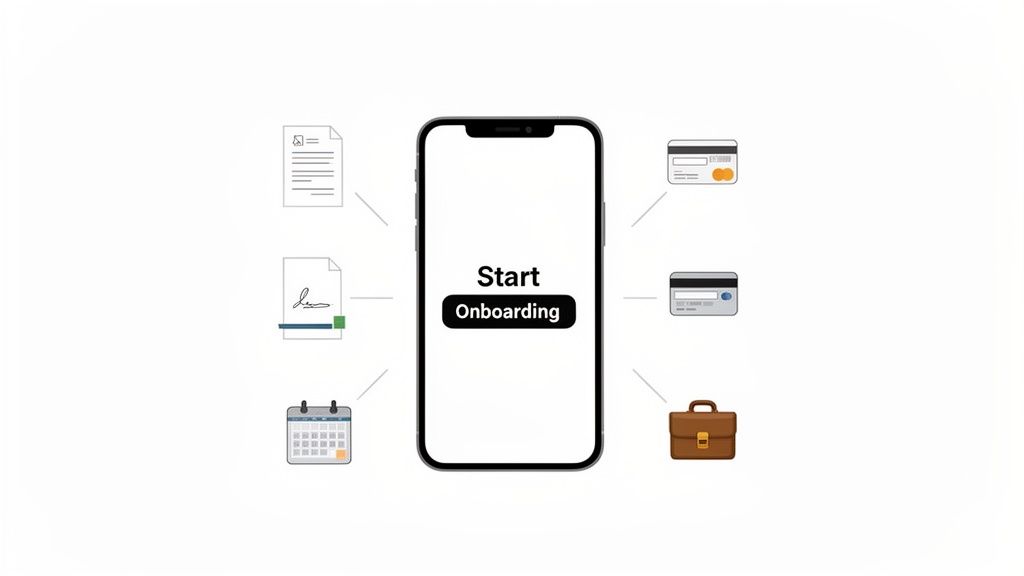
The key is that the client sees one task, not three. This simple psychological shift dramatically reduces friction and form abandonment.
A one-link machine consolidates your entire process. The moment a client pays their retainer, the system should automatically sync all their information to your practice management software, create the matter, and trigger a welcome email. As you design this flow, incorporating essential welcome message templates makes a strong first impression and guides new clients seamlessly into your firm.
Key Features of a Strong Onboarding System
Not all platforms are created equal. When building your one-link onboarding machine, you have to prioritize features that directly attack the pain points of a small law firm.
Here are the non-negotiables:
- Integrated E-Signatures: The ability to sign the engagement letter must be built directly into the flow, not outsourced to a separate tool that forces another login.
- Secure Payment Processing: The system should handle retainer payments right after the signature, using a trusted gateway like Stripe. Don't make them wait for a separate payment link.
- Practice Management Integration: Look for direct connections to systems like Clio. Automatic data sync eliminates manual entry, saving you an average of 15-20 minutes per client.
- Staff-Only Fields: These private fields are crucial. They allow your team to add internal notes, document conflict check results, or assign attorneys without cluttering the client's view.
By focusing on a tool that unifies these components, you can stop wasting time and money on scattered applications. The right client intake software for law firms is designed to replace multiple subscriptions and streamline your entire operation. This consolidation is how you build a lean, profitable practice.
Key Metrics to Measure Your Client Onboarding Success
You can't fix what you don't measure. Vague feelings aren't enough—you need hard data to pinpoint exactly where you’re losing leads. Tracking the right key performance indicators (KPIs) turns your onboarding from a guessing game into a predictable, client-winning machine.
These numbers tell the true story of your firm's efficiency. Ignoring them is like flying blind.
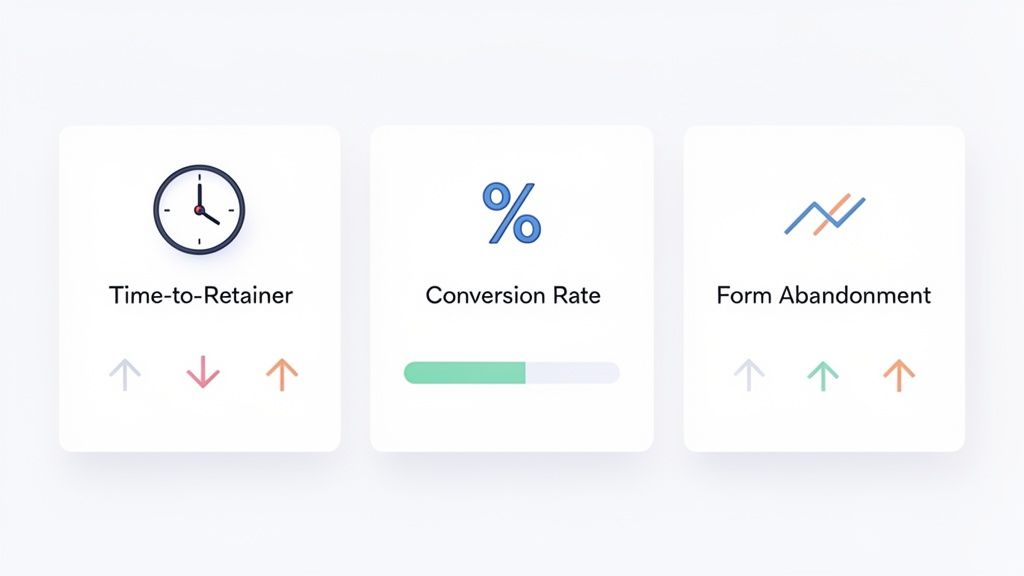
If you're going to track anything, start with these core metrics. They provide a clear, high-level view of your onboarding health.
Essential Onboarding KPIs for Your Law Firm
| KPI | What It Measures | Why It's Critical |
|---|---|---|
| Time-to-Retainer | The total time (in hours or days) from a potential client's first contact to the moment their payment is successfully processed. | This is the ultimate measure of speed. A long timeline is a massive red flag that gives leads time to find a competitor. |
| Conversion Rate | The percentage of qualified leads who sign a retainer agreement and become paying clients. | It reveals the overall effectiveness of your onboarding funnel. A low rate points to slow response times or a complicated signing process. |
| Form Abandonment Rate | The percentage of people who start filling out your intake form but never finish and submit it. | This is a direct indicator of friction. A high rate means your form is likely too long, confusing, or not mobile-friendly. |
Let's dig into what each of these numbers means for your firm's bottom line.
Time-to-Retainer
This is the ultimate measure of speed. Time-to-Retainer tracks the total hours or days from a potential client's first contact to the moment their payment is processed. A long timeline here is a massive red flag indicating friction and a high risk of the lead going to a competitor.
Your goal should be to get this number under 24 hours. Top-performing firms using unified onboarding systems often measure this in minutes.
Lead-to-Client Conversion Rate
Not every lead is a good fit, but you have to know what percentage of qualified leads actually sign with you. Your Lead-to-Client Conversion Rate reveals the overall effectiveness of your entire onboarding funnel, from first call to final payment.
To calculate it, divide the number of new clients by the number of qualified leads you spoke with in a given period. A low rate often points to a slow response time or a clunky, multi-step signing process that causes prospects to give up.
Intelligent intake systems are a game-changer for this metric. AI-enhanced client onboarding can boost conversion rates by up to 40% while slashing administrative work. Discover more insights about how AI transforms law firm intake.
Form Abandonment Rate
This metric is laser-focused on your intake form. The Form Abandonment Rate measures how many people start filling out your form but never finish. It’s a direct indicator of friction.
If your rate is high, your form is likely too long, confusing, or isn't mobile-friendly. Every abandoned form represents a highly interested lead who hit a wall. Fixing this single metric can provide a huge, immediate lift to your conversion numbers.
Your Action Plan to Fix Onboarding This Week
Reading about a better process is one thing. Implementing it is another. Let’s get practical with a plan to fix your client onboarding this week. This isn't a massive, six-month project—it's about making a single, high-impact change you'll feel immediately.
First, do a quick, honest audit. Map out every single touchpoint for your next new lead, from their first call to their paid retainer. How many emails are you sending? How many PDFs do they have to print? This simple exercise will shine a spotlight on your biggest friction points.
Identify Your Biggest Bottleneck
For most small firms, the bottleneck isn't one specific step. It’s the gaps between the steps. It's the dead time waiting for an intake form. It's the hours your staff wastes chasing an e-signature. It’s that awkward follow-up call just to get a credit card number.
Find the part of your process that takes the longest or demands the most manual follow-up. That’s your starting point. A slow, clumsy process doesn't just annoy people; it actively repels the very clients you want to attract.
Implement a One-Link Solution
Once you see the chaos of your current workflow, the fix becomes obvious: you have to consolidate. This is where you bring in a tool that can combine your intake form, engagement letter, and retainer payment into a single, simple link.
Here’s your action plan for this week:
Set Up Your Tool: Sign up for a platform built for this purpose. Spend 15 minutes adding your firm's logo and brand colors so clients see a professional, trustworthy page.
Build Your First Workflow: Don't try to perfect the process for every practice area. Start with your most common case type. Create one workflow that includes your standard intake questions, attaches your engagement letter, and requests the retainer.
Send the Link: The next time a qualified lead contacts your firm, send them your new onboarding link via text or email. Instead of juggling three or four tasks, you’re sending just one.
This isn’t about adding another piece of software. It’s about replacing a broken, multi-step headache with a single, automated action. You can go from manual chaos to automated efficiency in a single afternoon.
Your Top Client Onboarding Questions Answered
Let's cut through the noise. Here are direct, practical answers to the questions we hear most often about improving a law firm's client onboarding.
How Long Should Client Onboarding Take?
For the client, it should feel instant. A modern, digital process should take them just minutes to complete on their phone.
Your firm's goal should be to get a signed retainer and initial payment in your account in under 24 hours from their first contact. If your current process involves days of phone tag and email attachments, you are losing clients to faster firms. Speed is your biggest advantage.
What Is the Biggest Onboarding Mistake Law Firms Make?
The single biggest mistake is friction. Anything that makes the process feel clunky, slow, or disjointed is costing you clients. Using separate tools for intake forms, e-signatures, and payments is the most common cause of this friction.
Every time you force a potential client to switch from an email to a PDF, then to a separate payment website, you give them a chance to abandon the whole thing. A unified, single-link solution fixes this by keeping their momentum going.
The core problem is asking a client to complete three separate tasks when they see it as one: hiring you. A consolidated workflow respects their time and dramatically increases your conversion rate.
Can I Still Do a Conflict Check With an Automated System?
Absolutely. A good system makes it easier. The best onboarding platforms build compliance steps right into the workflow with staff-only fields.
This lets your team gather information from the client first. Then, using private fields the client never sees, your staff can document the conflict check status and results. You can complete your due diligence before the engagement letter is finalized, all without slowing the client down.
Stop losing leads to a slow, manual process. intake.link consolidates your intake forms, e-signatures, and retainer payments into one secure link, turning prospects into paying clients in minutes.
Stop losing leads—get signatures before they call another firm