

Losing potential clients because your intake process is slow and clunky? If you're a small law firm, the best legal CRM software isn't about fancy features—it's about getting retainers signed before a lead calls your competition.
Stop Guessing and Find the Right Legal CRM
You're in the right place. Moving from spreadsheets and sticky notes to a central system isn't just about tidying up; it's about building a reliable machine that captures and converts leads. For a small firm, that’s the difference between surviving and thriving. It’s how you design a client intake process that wins you more business without the administrative nightmare.
This guide cuts through the noise. We'll show you exactly how to choose a CRM that fits your practice, compare the top platforms without the marketing fluff, and help you build a system that turns inquiries into signed clients—fast. For a deep dive on building an unbeatable first impression, check out our complete guide to law firm client intake.
The market for these tools is exploding for a reason. It's projected to jump from USD 2.77 billion in 2024 to USD 5.68 billion by 2032, which shows how essential CRMs have become for firms that want to grow.

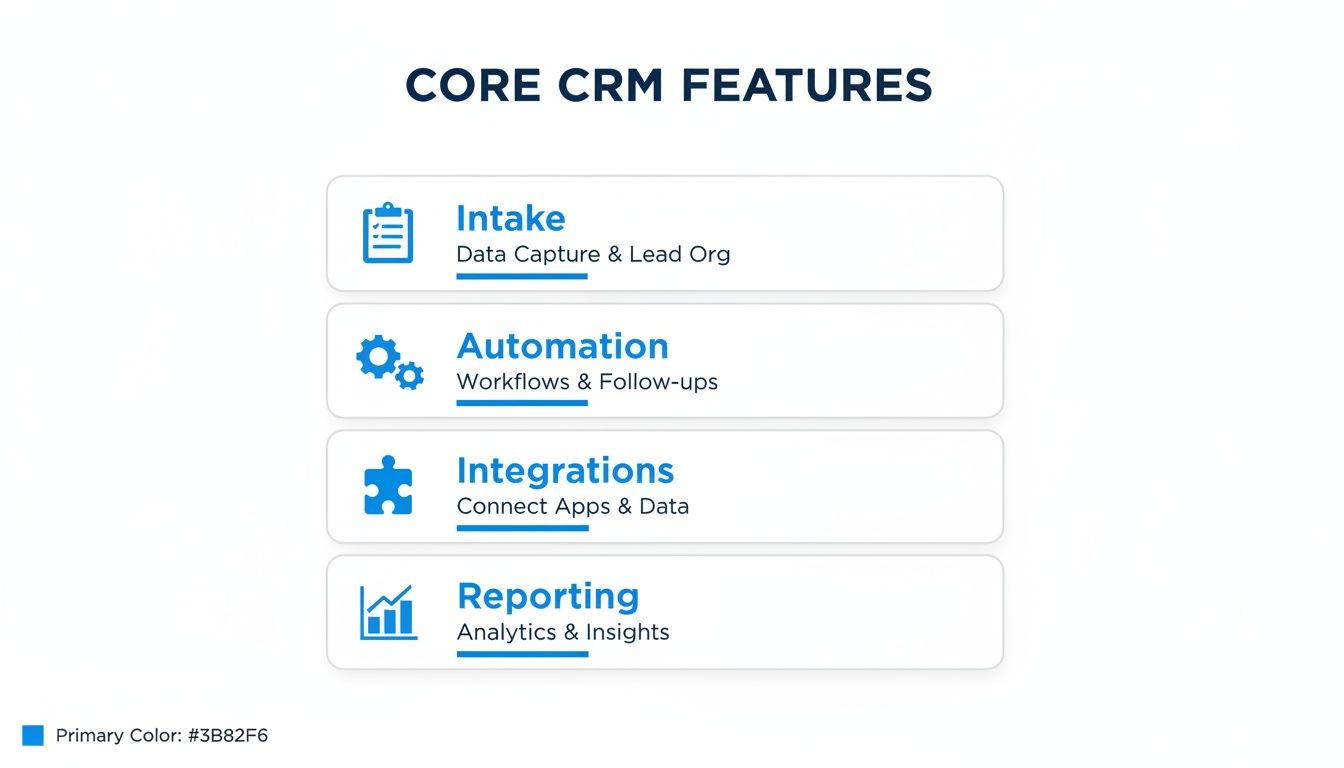
Quick Look: The 4 Most Important CRM Features for Small Firms
Forget overwhelming feature lists. For a small firm, only a handful of features truly move the needle. This table breaks down the non-negotiables that have a direct impact on your bottom line.
| Core Feature | Why It Matters for Your Firm | What to Look For |
|---|---|---|
| Client Intake | Captures lead information the moment they reach out, killing manual entry and slashing response times. | Customizable forms, automated conflict checks, and direct website integration. |
| Workflow Automation | Takes repetitive, soul-crushing tasks off your plate, like sending follow-up emails or scheduling calls. | Trigger-based actions, automatic task assignment, and communication sequences. |
| Key Integrations | Connects with the tools you already rely on (email, calendar, billing) to create a single source of truth. | Native integrations with your practice management and accounting software. |
| Actionable Reporting | Shows you exactly where your best clients are coming from and which marketing dollars are actually working. | Lead source tracking, conversion rate dashboards, and clear pipeline visibility. |
These four pillars are the foundation of an efficient firm. If a CRM doesn't nail these, the fancy extras don't matter. For a deeper dive, check out our full guide on why you need a CRM for your law firm.
The Four Core CRM Features That Actually Matter
When you're looking at legal CRM software, it's easy to get buried in endless feature lists. Let’s cut through the noise. For your small law firm, only four things truly save you time, slash errors, and help you sign more clients.
Everything else is a distraction. Your firm's success with a CRM boils down to how well it handles these four pillars: client intake, workflow automation, integrations, and reporting. Getting these right is the difference between a tool that runs your business and one that just gives you more work.
Seamless Client Intake
Your intake process is the first handshake a potential client has with your firm. A clunky, slow system doesn't just make a bad impression—it sends business to your competitors. The data is clear: 67% of clients hire the first firm that responds professionally. Speed and simplicity are non-negotiable.
A great legal CRM turns your intake from a liability into a competitive advantage. It should let you:
- Capture Leads Instantly: Use web forms that feed every inquiry directly into your CRM. No more leads lost in a cluttered inbox.
- Automate Conflict Checks: The system should automatically scan for and flag potential conflicts as soon as new contact information comes in.
- Provide a Frictionless Experience: The easier you make it for clients to give you their information, the more likely they are to follow through.
Powerful Workflow Automation
Attorneys waste a shocking 48% of their time on non-billable administrative tasks. Think about that. It's nearly half your week spent on follow-up emails, scheduling, and manual data entry. Workflow automation is how you claw that time back.
A good CRM doesn't just store information; it acts on it. Automation is the engine that lets a two-person firm operate with the efficiency of a four-person team.
Think of it as setting up rules just once. When a new lead fills out an intake form, the system can automatically send a welcome email, create a follow-up task for your paralegal, and schedule a consultation on your calendar. This simple chain of events eliminates the repetitive work that burns out your staff and opens the door to human error.
Robust Integrations
Your CRM can't be an island. It has to connect cleanly with the other tools you use every day—your email, your calendar, and especially your practice management software. Without solid integrations, you're just creating more copy-paste work for yourself.
The goal is a single source of truth, where client data is consistent everywhere. A strong integration means your CRM "talks" to your other software, so an update in one place shows up everywhere else. This is critical for bridging the gap between pre-client activities (in the CRM) and case management (in your PMS).
Actionable Reporting
Finally, a CRM is worthless if you can't measure what's happening. Good reporting cuts through the vanity metrics and gives you clear answers to a few core questions:
- Where are my best clients coming from?
- What's our lead-to-client conversion rate?
- How long does it take us to sign a new client?
Knowing these numbers helps you make smarter decisions about your marketing budget and internal processes. It’s how you stop guessing and start building a predictable pipeline of new business.
Comparing the Top Legal CRMs: Clio vs. Lawmatics vs. PracticePanther
Choosing from the top legal CRM platforms can feel overwhelming, but for a small firm, the differences are significant. Let's put Clio, Lawmatics, and PracticePanther under the microscope, focusing on what directly impacts your ability to sign clients faster.
This isn't about finding the "best" software overall. It’s about finding the best fit for your firm’s specific goals.
Cloud-based platforms now hold 55% of the law firm CRM market for a reason—they’re flexible and powerful. The top players command a significant share, partly due to their massive integration ecosystems. You can read more about these market trends and how they’re impacting law firms.
Client Intake and Lead Management in Legal CRM Software
How a CRM handles that first touchpoint is everything. The goal is to make it ridiculously easy for prospects to give you their info and for you to act on it instantly.
Clio Grow: Clio's intake module is a solid, straightforward tool for capturing leads through web forms and tracking them in a visual pipeline. It handles the basics well: custom forms, appointment booking, and e-signatures. Its primary job is to get a lead organized before passing them into the Clio Manage case management system.
Lawmatics: This is where Lawmatics shines. It's built as an intake and marketing automation machine. Its forms use conditional logic, letting you create dynamic questionnaires that change based on a prospect's answers. The focus here is on sophisticated, automated workflows that nurture a lead from first contact to signed retainer with little manual work.
PracticePanther: PracticePanther’s intake is built directly into its practice management platform. It offers customizable forms that create a new contact and matter record automatically, which is efficient for firms wanting a single system. While effective, it lacks the advanced lead-nurturing sequences you'll find in Lawmatics.
Key Takeaway: If your biggest challenge is converting leads with sophisticated follow-up, Lawmatics has the edge. If you just need a reliable front-end for a powerful case management system, Clio Grow is the logical choice. PracticePanther offers a simple, all-in-one solution.
Automation Capabilities
Automation is your secret weapon for efficiency. It eliminates the 48% of time attorneys spend on non-billable admin work and lets your small team operate like a much larger one.
Clio: Clio’s automation is strong within its case management world. You can create task lists and templates that trigger when a matter reaches a certain stage. Its strength is in automating internal, case-related workflows once a client is on board.
Lawmatics: Automation is the heart of the Lawmatics platform. It uses a powerful "trigger-and-action" system. For example, when a form is submitted, you can automatically send a retainer, assign a follow-up task, and add the lead to an email campaign. It’s all built for pre-client engagement.
PracticePanther: PracticePanther offers solid workflow automation. You can create templates that automatically generate a series of tasks when a new matter is opened. This is excellent for standardizing your internal processes for different case types.
Pricing and Value for Small Firms
For a 1-4 attorney firm, every dollar counts. The price needs to be justified by clear time savings or increased revenue.
Clio: To get the full power of its intake (Clio Grow) and case management (Clio Manage), you'll often need the Clio Suite plan, which runs around $89 per user/month. It's a comprehensive package but can be a significant investment.
Lawmatics: Lawmatics is positioned as a premium solution, and its pricing reflects that. It often requires a multi-user minimum, making the entry point higher for solos. For growth-focused firms, the ROI from its advanced automation can easily justify the cost.
PracticePanther: PracticePanther is often seen as a great value-for-money option. Its plans are competitively priced, starting around $49 per user/month for solos and scaling up. It packs a lot of functionality into its platform without requiring expensive add-ons.
Which Legal CRM Software Should You Choose?
Here's a side-by-side look at how these three platforms stack up for small firms. Think about your biggest pain points as you review the table.
| Feature/Aspect | Clio | Lawmatics | PracticePanther |
|---|---|---|---|
| Primary Strength | All-in-one case management & large integration ecosystem. | Advanced intake, marketing automation, and lead nurturing. | Simple, powerful, and cost-effective all-in-one practice management. |
| Intake Forms | Solid forms with basic logic. Good for data capture. | Highly customizable with advanced conditional logic. | Built-in forms that auto-create matters. Effective but simpler. |
| Automation | Strong on internal case workflows and task management. | Best-in-class for marketing and pre-client workflows. | Good for standardizing internal processes and matter templates. |
| Ideal For | Firms needing a robust case management hub. | Growth-focused firms prioritizing lead conversion. | Firms seeking an affordable and user-friendly all-in-one. |
| Pricing Model | Tiered plans, often requiring the Clio Suite for full functionality. | Premium pricing, often with a multi-user minimum. | Competitive, value-focused pricing ideal for small firms. |
| When to Choose | You already use Clio Manage and want to add a solid intake front-end. | Your #1 bottleneck is turning leads into signed clients. | You need a single, budget-friendly system to run your entire practice. |
Choosing Your Strategy: All-in-One vs. Best-in-Breed
This is the big fork in the road: do you go with a single system that does everything ("all-in-one"), or do you build a specialized stack of the best tools for each job ("best-in-breed")? The right answer depends on your firm's single biggest bottleneck.
The All-in-One Advantage: Simplicity
An all-in-one system, like PracticePanther, bundles your CRM, case management, and billing into one platform. For many small firms, this is perfect. You get one login, one bill, and a unified interface where data flows smoothly from lead to active matter.
This approach is the winner if your primary challenge is internal organization. But the trade-off is that a jack-of-all-trades is often a master of none. The built-in intake forms work, but they rarely excel at converting a lead into a paying client as fast as possible.
The Best-in-Breed Advantage: Power
The best-in-breed strategy is about connecting specialized, high-performance tools. You might pair a powerful practice management system like Clio with a dedicated intake tool built for one purpose: turning an inquiry into a signed, paying client in minutes.
This gives you overwhelming power where it counts. A generic intake form might capture info, but it can’t combine e-signatures and payments into a single, seamless link. That friction is where you lose business.
The Litmus Test: Does your intake process force a client to open multiple emails and click different links just to sign and pay? If so, you are losing clients to firms that make it easier.
Real-World Numbers: Why Intake Speed Matters
The data shows just how critical a dedicated intake process is. The MyCase 2024 Legal Industry Trends Report found that their customers captured 58,395 leads through customized intake forms in 2023, converting 10,286 of them.
That’s a 17.6% conversion rate—a solid benchmark proving that a streamlined process slashes the drop-off that plagues multi-step systems. You can read the full report on law firm marketing statistics for more insight. These numbers represent real revenue that would have evaporated in a slower process.
Making the Right Choice for Your Firm
So, how do you decide? Use this simple framework.
| If Your Primary Goal Is... | The Better Strategy Is... | Why It Works |
|---|---|---|
| Streamlining internal case management and billing | All-in-One | A single platform reduces administrative overhead and keeps all case-related information in one place. |
| Increasing lead-to-client conversion speed | Best-in-Breed | Specialized intake tools are built to eliminate friction, combining signature and payment to secure clients faster. |
| Maximizing your existing PM system's power | Best-in-Breed | Integrating a dedicated intake tool with your PMS gives you the best of both worlds—a powerful engine with a turbocharger. |
| Minimizing software subscriptions and logins | All-in-One | One vendor, one bill, one login. This simplifies your tech stack and reduces the learning curve for your team. |
For a deeper dive on how these tools connect, check out our guide on how CRM software integrates with QuickBooks.
When to Add a Dedicated Client Intake System
Think of your CRM as the engine that runs your firm. A dedicated client intake system is the turbocharger you bolt on for raw speed. This isn't about replacing your CRM; it's about making its most critical function—winning new business—unstoppable.
Adding a dedicated system is for firms that refuse to lose clients to friction. It’s for you if your goal is to shrink the time between a new lead calling and having a signed retainer from days down to minutes.

You Are Losing Clients to Phone Tag
Are you constantly trading voicemails just to get a retainer signed? The data here is brutal: leads contacted within the first 5 minutes are 21x more likely to convert. A dedicated intake system closes that gap instantly.
Imagine this: a potential client fills out your contact form and immediately receives a text with a single, secure link. They open it to find the retainer, a payment portal, and a final intake form—all in one place. It all happens in one seamless motion, capturing their commitment while their intent is at its peak.
Your Current Process Is Fragmented
If a new client has to juggle three different tools just to hire you—one for the e-signature, another for payment, and a third for a questionnaire—your process is broken. Every extra step is another chance for them to drop off.
A dedicated intake platform consolidates these steps into one unified experience. It’s built on the simple idea that the easier you make it for someone to pay you, the more people will.
This unified approach tells prospects your firm is modern, efficient, and respects their time. That experience alone can be the deciding factor. You can learn more by exploring the benefits of dedicated client intake software for law firms.
You Need to Eliminate Manual Data Entry
Even with a great CRM, your team probably wastes hours on manual data entry. These are the kinds of administrative chores that account for nearly 48% of a typical lawyer's time. A dedicated intake system integrated with your CRM kills this double-work.
When a client finishes the intake flow, the system can automatically create a new contact in your CRM, sync the signed retainer, and log the payment. This automation doesn't just save time; it eliminates costly human errors. If you're exploring options, you can see a breakdown of the 7 best online form builder tools to get a sense of the features available.
How to Make Your Final Decision and Take Action
You have the information. Now it’s time to move. Analysis paralysis costs you more in lost leads and wasted time than the subscription fee for any of the best legal CRM software options. Use this simple, three-step plan to make a confident decision.
Step 1: Identify Your Single Biggest Pain Point
Before you look at another demo, answer one question: What is the single biggest headache costing your firm money right now?
- Is it disorganized lead tracking? (Leads are falling through the cracks).
- Is it slow client conversion? (The gap between first contact and a signed retainer is days or weeks).
- Is it manual administrative work? (Your team spends too much time on non-billable tasks).
Your answer defines your priority. It's the one problem your new system must solve first.
Step 2: Schedule Demos with a Clear Goal
With your pain point defined, choose your top two contenders and schedule demos. Don't let them give you their standard sales pitch. You are in control.
Start the conversation by saying, “My firm’s biggest problem is [your pain point]. Show me exactly how your software solves that for a firm my size.” This approach cuts through the marketing fluff and shows you how the tool will actually perform in your daily workflow.
Step 3: Test Your Intake Process First
If your biggest pain point is that slow gap between inquiry and signed retainer, consider a focused test. Instead of overhauling everything at once, just start with the part of your business that generates revenue.
Your client intake is not just an administrative step; it is your firm’s closing argument. A fast, simple, one-link process for signatures and payment immediately tells a client you are the right choice.
Implement a dedicated intake tool first. See how a one-link flow can immediately improve your conversion rate. It’s a low-risk, high-reward move that delivers a tangible return in your first week. Stop losing leads—get signatures before they call another firm.
Frequently Asked Questions about Legal CRM Software
Here are direct answers to the questions small law firms ask when choosing legal CRM software.
How Much Should I Expect to Pay for a Legal CRM?
For a firm with 1-4 people, a realistic budget is $50 to $150 per user, per month. Most top platforms use tiered pricing. Basic plans get you in the door, but mid-range tiers are where you’ll find critical features like workflow automation and integrations. Keep an eye out for hidden data migration fees.
What Is the Difference Between a CRM and Practice Management Software?
A CRM (Customer Relationship Management) is for everything that happens before someone signs your retainer. It manages leads, intake, and marketing. Practice Management Software (PMS) takes over after they become a client. It’s for case management, billing, and deadlines.
Key Takeaway: A CRM wins you the business. A PMS helps you manage it. If you're a small firm trying to grow, sharpening your CRM and intake process is where you'll see the biggest impact.
Do I Really Need a Specialized Legal CRM?
Yes. A legal-specific CRM is almost always the right call. These systems come out of the box with non-negotiable features like conflict checking and trust accounting compliance. You can try to bend a generic CRM like HubSpot to your will, but you’ll burn time and money forcing it to meet a law firm's strict ethical and operational needs.
How Long Does It Take to Implement a New CRM System?
For a small firm of 1-4 attorneys, a straightforward setup can be done in under a week. The biggest factor is how prepared your data is. The cleaner your existing contact lists are, the faster the migration will be. Specialized intake tools like intake.link can often be set up in under an hour to instantly upgrade your process.
Stop losing leads to phone tag and slow follow-ups. intake.link puts your entire intake process into one link, so you can get signatures and payment before potential clients even think about calling another firm.